Skip to content

For reviewers

Say it once. Get it back right.

Clients, creators and sponsors open a link, show the editor exactly what they mean, and the next version comes back right.

How reviewing works

Less typing. Clearer notes.

Guest links

Open the link. That's it.

No account and no app. Reviewers add their name and email and start, on any device. Invite as many as you like: guests never take a seat.

  • Password, expiry, download control and a watermark
  • Your name, logo and colour on the review page
Guest review links

On the frame

Point at it. Don't describe it.

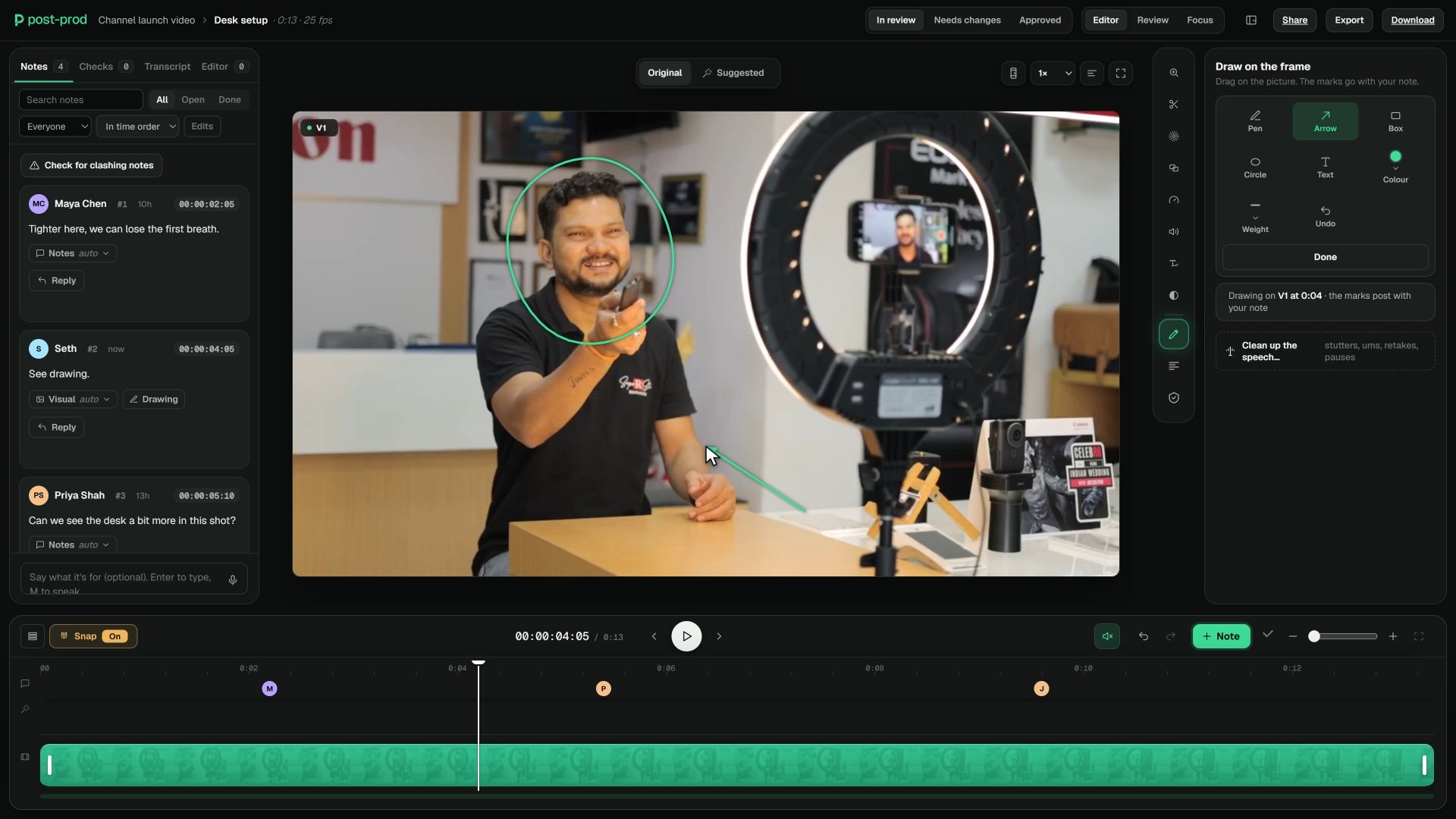
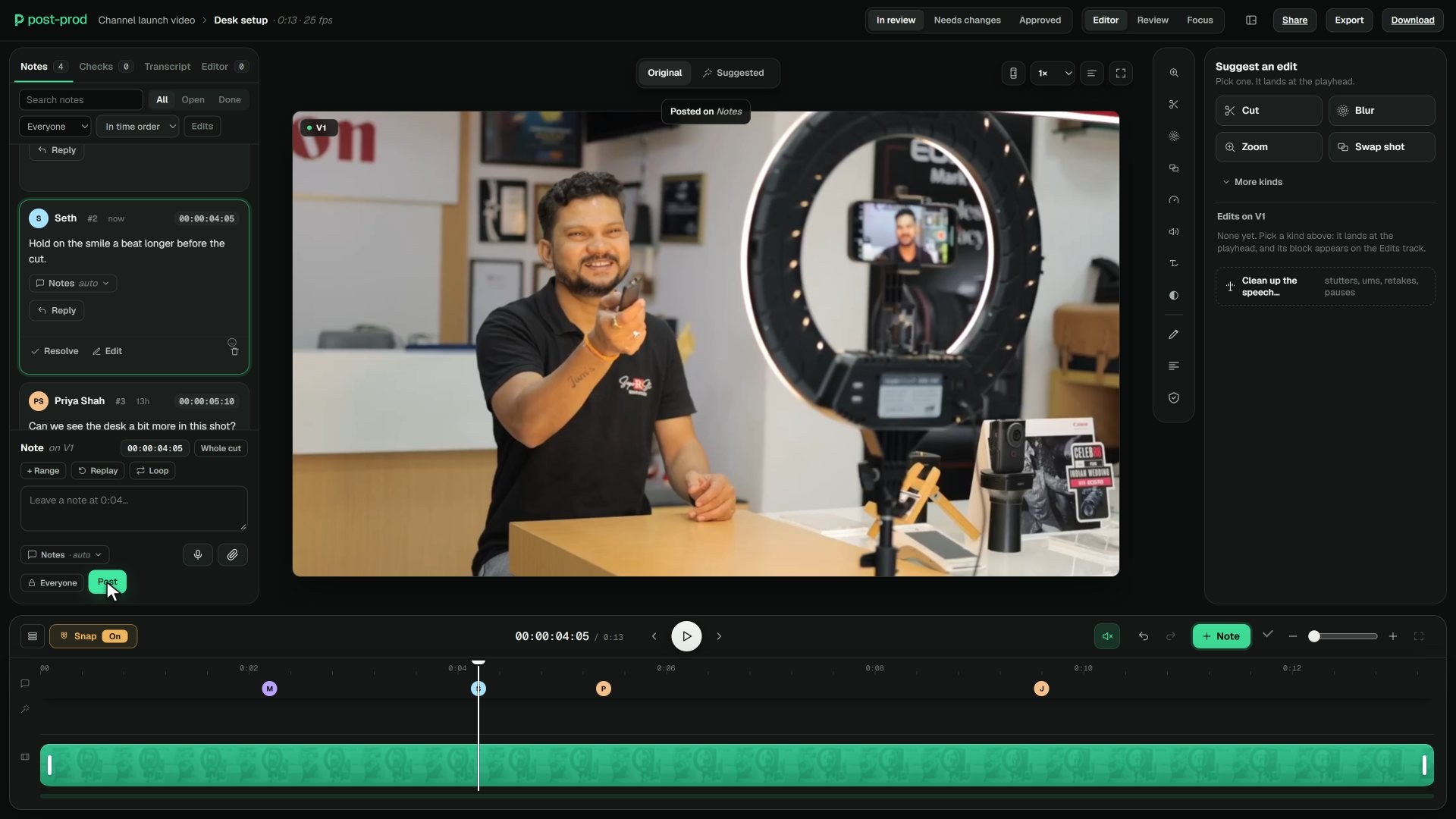
Pin a note to the frame, drag across a range, or switch to General for a note on the whole video. Circle the logo, arrow the jump cut: the drawing shows on that frame for the editor.

Notes on the frame

Voice notes

Easier to say? Say it.

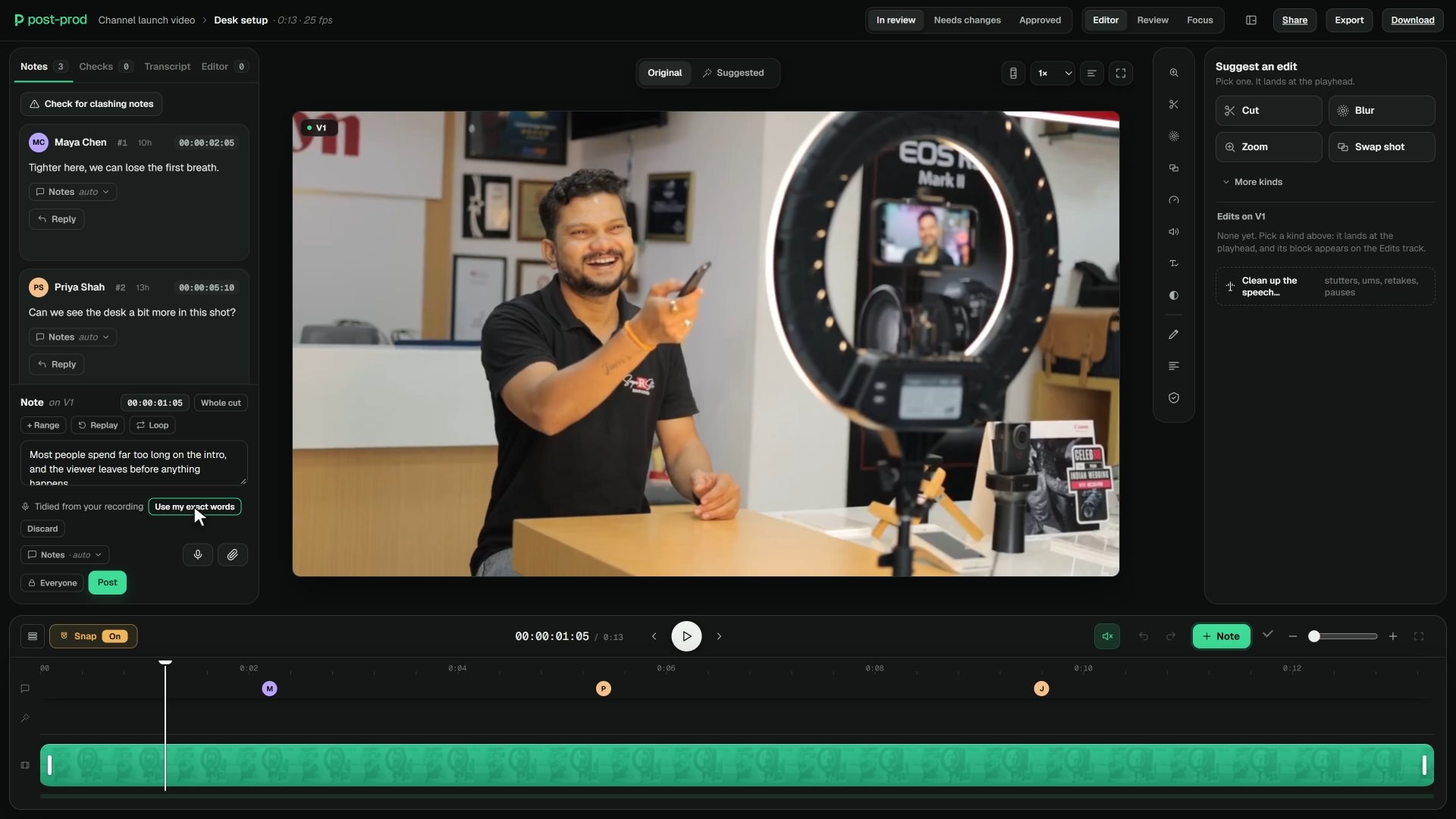
Record the note on the frame. It comes out as clean text the editor can read and search, with your own words one tap away.

References

Show them the one you liked.

Paste a YouTube or Vimeo link with a time into your note. It becomes a Reference chip that plays from that moment, on its own or side by side with the cut.

Writing hints

A nudge when a note is too vague.

Write “make it pop” and nothing else, and a quiet line offers to add a range or a reference. It never blocks you: post anyway if that's what you meant.

From the editor

Know what's still a placeholder.

The editor's brief sits with the cut: what changed, what to look at, and which parts are temporary. No notes spent on music that was never going to stay.

Suggested edits

Or show the change itself.

Trim a section, punch in, blur a name, swap a shot. The editor plays your suggestion on the cut instead of guessing what you meant.

Suggested edits

Small things that save a round.

Replies and reactions

Questions and answers stay under the note they're about. React to agree instead of writing “+1”.

Notes follow the cut

Your notes move to the next version by matching the audio, and V2 says what was fixed since your round.

See what changed

Play two versions side by side, wipe between them, or switch to a difference view.

Approve per version

In review, Needs changes or Approved, on each version, so everyone knows where the cut stands.

Review on a phone

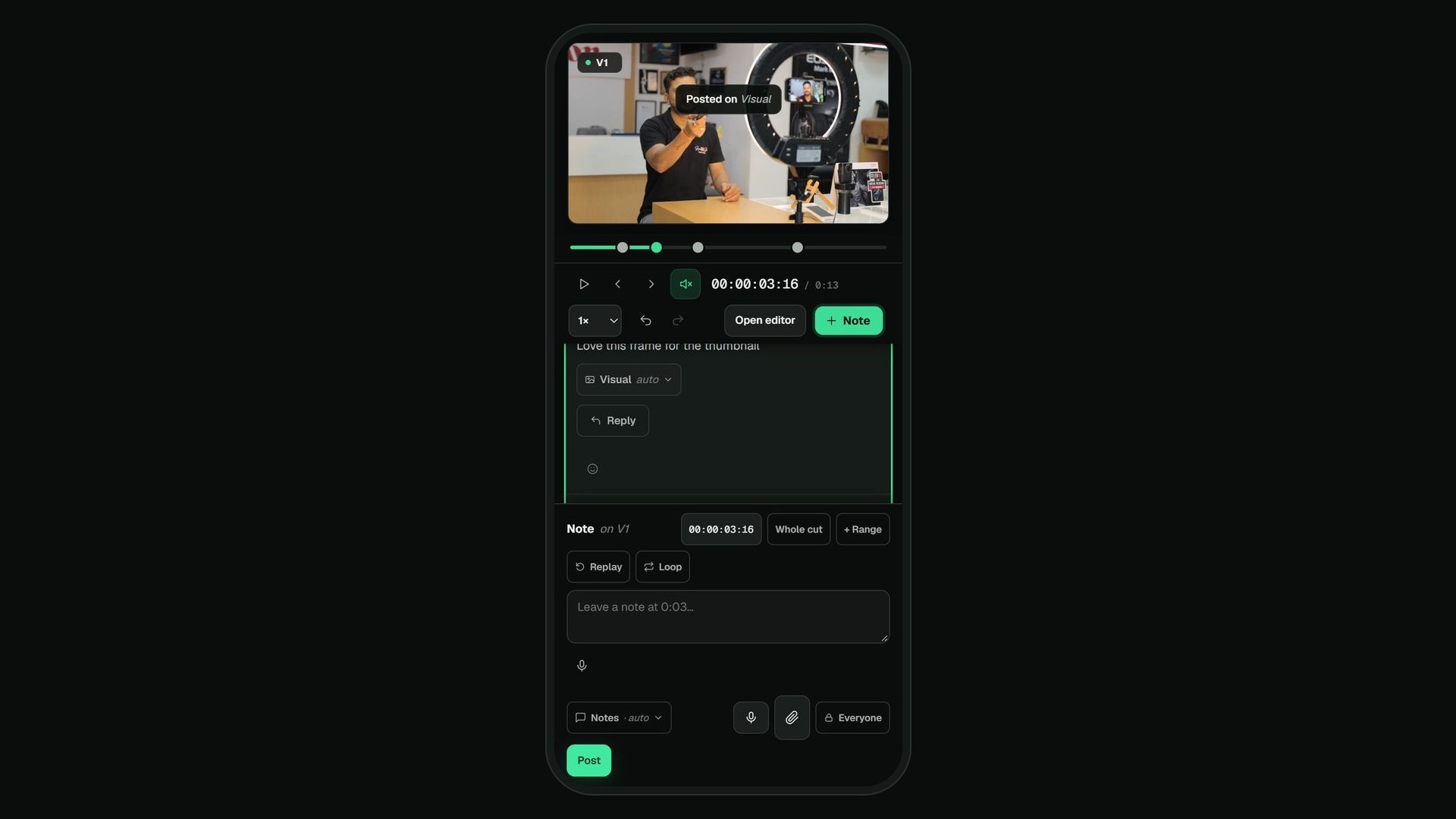
The same room on a phone: the picture on top, tap the timeline, type a note, react and reply.

Thumbnails too

Box the part of the thumbnail you mean and see it in the feed with its title.

Coming soonComing soon

Reactions-only links

A link for people who just watch and react, with five buttons. The team sees where the reactions landed.

Review checklists

A short list to tick before approving, kept on the link or the version.

Only part of the video

Send just the hook, or one section, with the rest kept private.

Notes in your language

Notes translated for each reader, with the original a tap away.

Compare

How it compares with Frame.io.

For reviewerspost-prod.ioFrame.io
Reviewer accountNot needed. Name and email, then review.Not needed. External clients view and comment through share links.
Link controlsPassword, expiry, download control and a watermark on every plan.Passphrase, link expiry, downloads off and a watermark template start on the Pro plan.
Who paysAdmins only, $10 each a month. Guests never take a seat.Per member: $15 on Pro (up to 5 seats), $25 on Team (up to 15 seats).

Where Frame.io is stronger: iPhone and iPad apps for reviewers, Camera to Cloud, and enterprise security certifications.

Frame.io facts from frame.io/pricing and frame.io/creative-cloud, read October 2026. Prices change, so check before you buy. The full comparison

Questions

Do reviewers need an account?

No. Send a review link. Reviewers add their name and email, then leave notes, draw, record voice notes, suggest edits and approve, on any device. You choose the password, expiry, downloads and watermark.

Can a reviewer leave a note on the whole video, not one moment?

Yes. The note box has two sides: At, for the frame or range under the playhead, and General, for a note on the whole video.

Can I review on my phone?

Yes. The room works on a phone: the picture stays on top, you tap the timeline, type a note at the bottom, react and reply.

What happens to my notes when the next version comes in?

They move to the new version by matching the audio, so a note still lands on the right moment after a trim earlier in the cut. The new version gets a summary of what was fixed.

How do I show the editor a style I like?

Paste a YouTube or Vimeo link, with a time if you like, into the note. It becomes a Reference chip that plays from that moment, or side by side with the cut.

Can I try it before paying?

Yes. Open the sample video and review it the way a guest would: notes on the frame, drawing, a voice note, a suggested edit. Plans are $10 an admin a month, and reviewers never need a seat.

post-prod.io

V2 final. Not V19.

Clear notes the first time, so the next version is the one that ships.

$10 per admin a month, or $8 billed yearly. Unlimited guests. Cancel any time.