
From a note
Write the note. Get the edit.
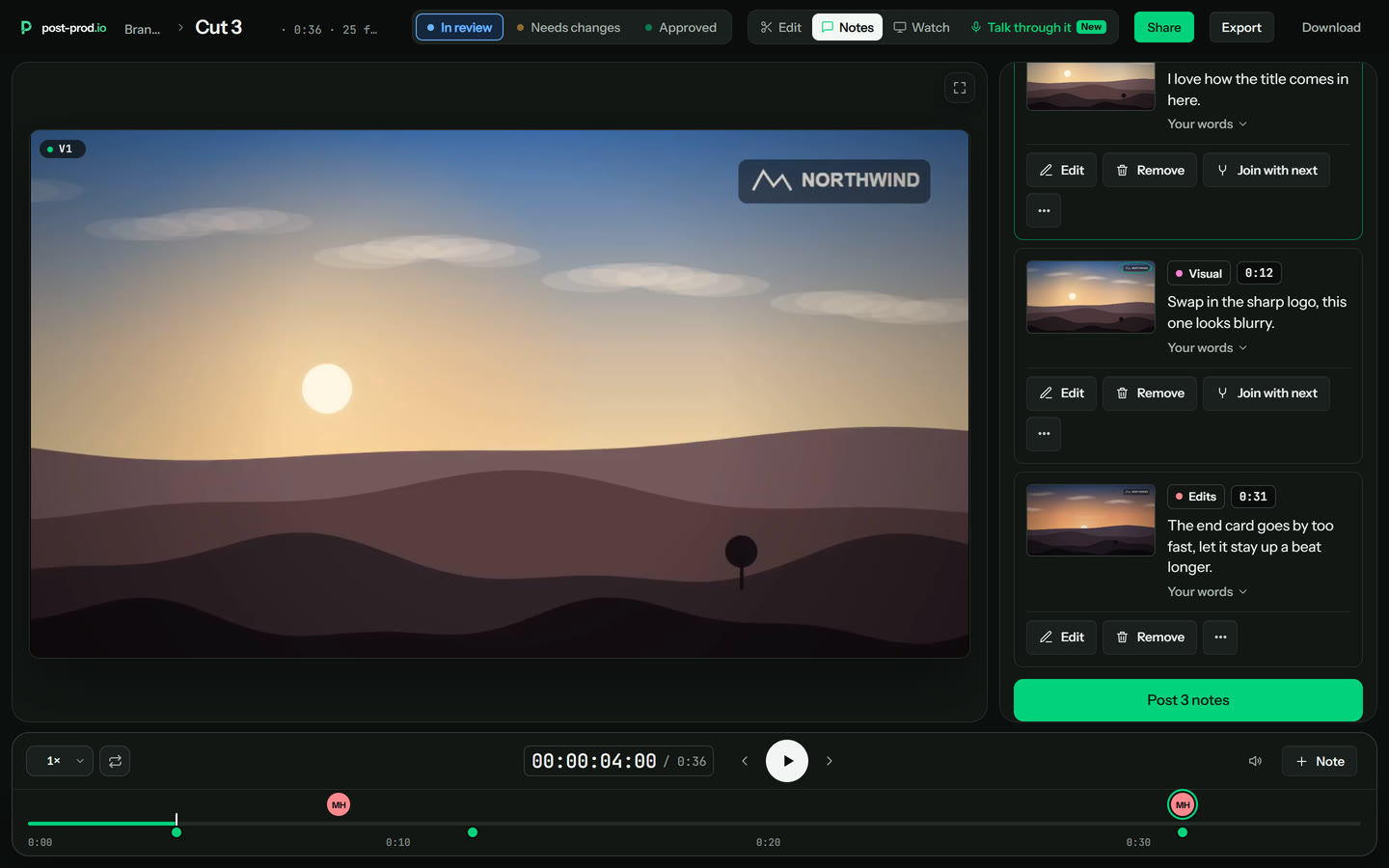
When a note describes an edit, post-prod offers to make it. Say yes and the suggested edit appears on the timeline, ready to play, with one Original and Suggested switch to compare.
Automatic video editing
Write or say a note, and post-prod.io turns it into the edit: ready to play on the cut, and rendered from your original. Nothing changes until someone says yes.
In short
Updated
How it works
When a note describes an edit, post-prod offers to make it. Say yes and the suggested edit appears on the timeline, ready to play, with one Original and Suggested switch to compare.
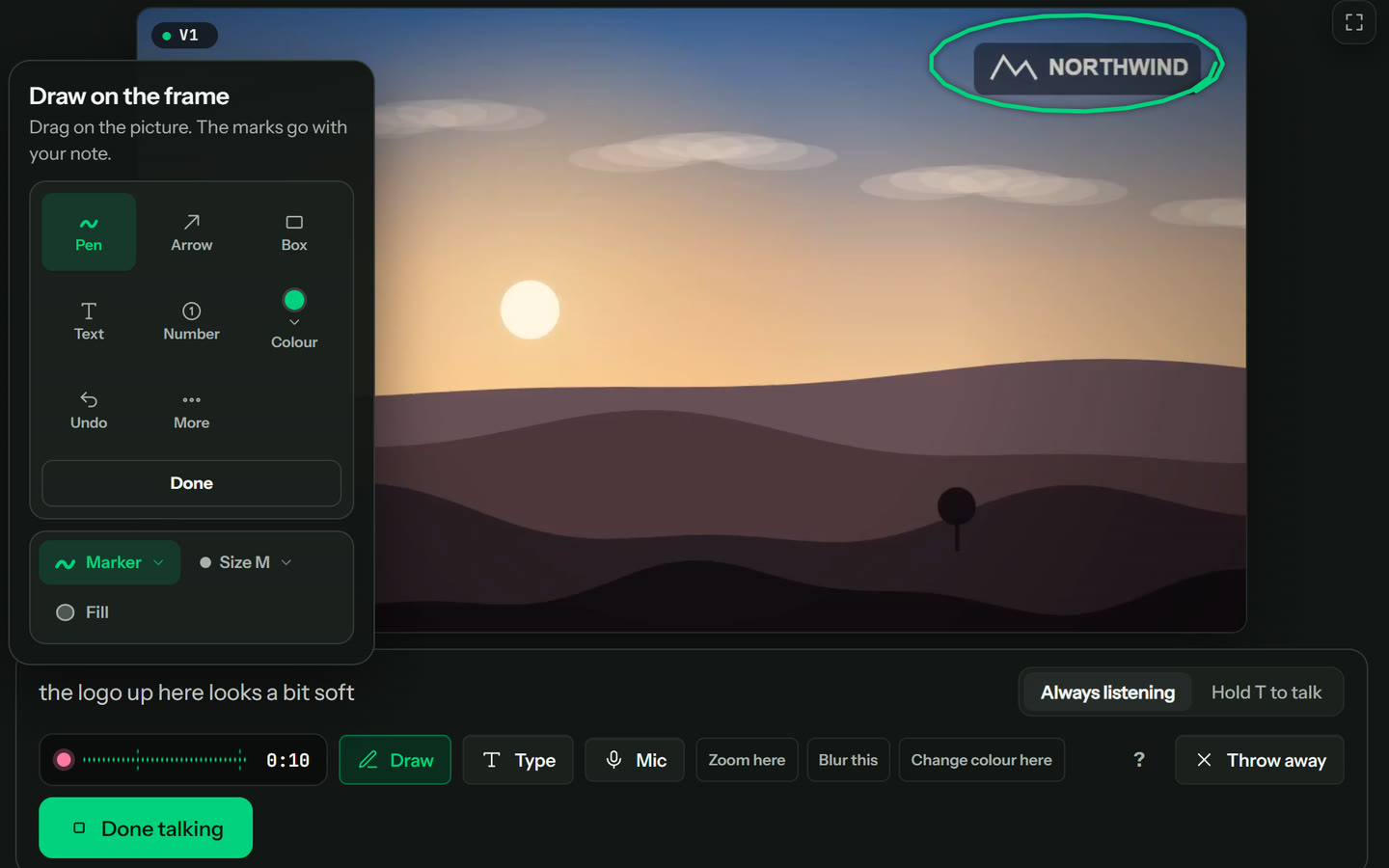
With Talk through it, say “zoom in here”, “blur this”, “add subtitles” or “turn the music down here”. The time comes from when you said it, and the area from what you drew.
When the posted notes carry edits post-prod can make, your team presses Make these changes: the edits are made, the whole cut renders from the original as the next version, and everyone checks it there. A double click never makes two cuts.
Upload a voiceover or a talking head, and stutters, ums, retakes and long pauses are found from the word timings and cut as edits you check before you render.
Kinds of edit
| Edit | Say or write | What happens |
|---|---|---|
| Cut | “Cut this part” | The section is trimmed, and the cut plays without it. |
| Zoom | “Zoom in here” | A punch-in on the area you drew or boxed. |
| Blur | “Blur this” | A blur over a face, a name or a screen, following it if it moves. |
| Speed | “Speed this up” | The section plays faster or slower. |
| Audio | “Turn the music down here” | The sound is muted, ducked or raised for that stretch. |
| Colour | “Make it warmer” | A colour change on that section. |
| Text and captions | “Add subtitles here”, “fix the typo” | On-screen text corrected, or captions added. |
| Swap | Drop in an image or a clip | The new shot plays over the section. |
Every edit is a suggestion until someone on your team keeps it. Renders come from the full-quality original, as MP4 or ProRes.
Choosing a tool
Rule-based clean-up
Tools that remove silences and filler words or add captions by the same rules every time. Quick for talking heads, but they don't know what your reviewer wanted.
Generated video
Tools that make new footage, or a whole video, from a prompt or a script. Useful for drafts; not for changing a cut you already have.
Edits from feedback
post-prod.io: the edits come from the notes on your cut, play before anything renders, and render from your original. With Claude, an agent can work through all the notes.
Agentic video editingEditing where software makes the changes for you instead of an editor doing each one by hand. Some tools follow fixed rules (cut silences, add captions); post-prod.io makes the changes your reviewers asked for in their notes.
Yes. On post-prod.io, a written note like “tighten this shot” or a spoken “zoom in here” becomes a suggested edit you can play. After posting, your team can press Make these changes and the next cut renders from the original. Claude can also work through a whole set of notes for you.
No. Every edit is a suggestion until someone keeps it, and each render is a new version, so nothing is overwritten.
No. Renders draw on the full-quality original you uploaded, as MP4 (up to two hours) or ProRes (up to fifteen minutes), with the kept edits in.
Guests on a review link can suggest edits and use Talk through it, with no account. Rendering the next version is for people on your team.
There's a sample video you can open and review the way a guest would, and you can test it with one upload of your own (a video up to 500 MB). Plans are paid per admin, and guests never need a seat.
post-prod.io
Say what should change, play it on the cut, render it from the original.
From $10 per admin a month, or $8 billed yearly. Unlimited guests. Cancel any time.