✓Plan the rounds before the edit: who reviews which cut, and who has the final say.
✓Edit in stages (assembly, rough cut, fine cut, picture lock) and send each one for review on one link.
✓Finish colour, sound and graphics after picture lock, so later notes don't undo them.
✓Check each new version against the last round's notes, then render the final from the original and run a last quality check.
Updated
The tools
Wherepost-prod.io takesover.
Review
One link per cut, notes back on your timeline.
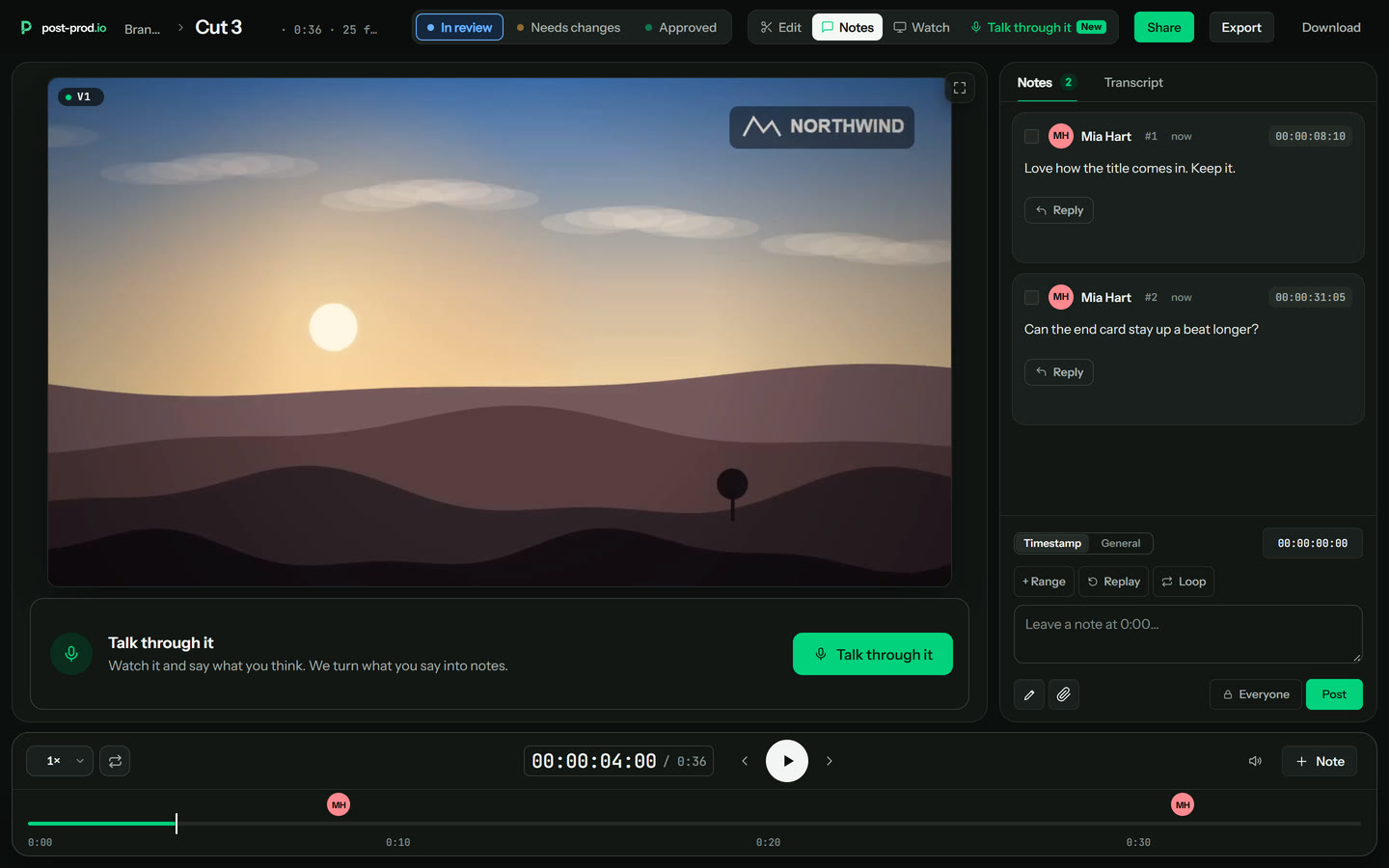
Reviewers open the link with no account, leave notes on the frame, draw, talk it through or suggest the edit. The notes go to your editing app as markers: through our Premiere Pro panel, or as marker files for DaVinci Resolve, Final Cut Pro and Avid.
Upload V2 on top of V1; files named _v1, _v2 stack on their own when you drag a folder in. Notes carry across by matching the audio, and V2 is checked against V1's notes.
Write down who reviews which cut (the rough cut, the fine cut, the final mix, the graphics), who has the final say, and how many rounds the budget allows. Agree how notes will be given: in one place and on the frame, not spread across email and chat.
If a client is paying for a set number of rounds, say so in writing at the start. It's easier to agree now than to argue later.
2. Ingest, back up and organise
Copy the cards twice before anyone formats them, sync sound to picture, and make lighter copies to edit with if the camera files are heavy. A consistent naming scheme for folders and files saves hours later.
3. Assembly and rough cut
Lay out the usable takes in story order, then cut to a first complete version. The rough cut is about structure: does the story work, is anything missing, is anything in twice. Ask reviewers for notes on structure here, not on colour or typos.
4. The first review round
Send one link to everyone who reviews this cut. Ask for one change per note, pinned to the frame or the stretch it's about, with a reason. Visual notes are clearer drawn on the picture, and changes are clearer shown as a suggested edit than described.
Collect every reviewer's notes before the editor starts, and settle any that disagree first.
Work through the notes, upload the next version and check it against the last round's notes before anyone rewatches from the start. Repeat until nobody wants to move a frame, then lock the picture: from here, the edit stops changing.
6. Colour, sound and graphics
With the picture locked, the colourist matches and grades the shots, sound cleans up the dialogue and mixes music and effects, and titles, graphics and captions go in. Notes at this stage should be about these finishes, not the edit.
7. Final review and approval
One last round on the finished cut, with the approver you named in step 1. Approval should be a clear status on one version, not a thumbs-up in a chat thread.
Watch for black frames, media offline frames, clipped audio and typos on screen, then export every format the platform or client needs from the full-quality original, and archive the project.
On a small team one person may do several of these. Naming the approver for each step is what matters.
Step
Who does it
Who signs it off
Plan
Producer or post supervisor
Client or creator
Ingest
Assistant editor or editor
Editor
Rough cut
Editor
Director, creator or producer
Fine cut and lock
Editor
Director, creator or client
Colour
Colourist or editor
Director or creator
Sound
Sound editor, mixer or editor
Director or creator
Graphics and captions
Motion designer or editor
Producer or client
Delivery
Editor or post supervisor
Client
Questions
What is a post-production workflow?
+
The order the work happens in after a shoot, and who does and approves each step: ingest, the edit in stages, review rounds, picture lock, colour, sound, graphics and captions, a final approval and delivery.
When should picture lock happen?
+
After the last round of notes on the edit, before colour, sound and graphics are finished. Changing the edit after lock means redoing some of that finishing work, which is why it pays to get the edit notes clear early.
How many review rounds should a video have?
+
There's no right number, but agree one before you start, and say which cut each round is for (rough cut, fine cut, final). Clear notes on the frame and a check of each new version against the last notes are what keep the count low.
How should I name video versions?
+
Give every export the project name and a version number, like launch_v3.mp4, and never reuse a number. On post-prod.io, files named _v1, _v2 stack as versions of the same file when you drag the folder in.
Where does a review tool fit in the workflow?
+
From the rough cut to the final approval: every cut goes up, reviewers leave notes on it, and the notes come back to the editing app as markers. On post-prod.io reviewers can also suggest the edit itself, and the next version can be rendered from your original.
Can I try post-prod.io before paying?
+
There's a sample video you can open and review the way a guest would, and you can test it with one upload of your own (a video up to 500 MB). Plans are paid per admin, and guests never need a seat.
post-prod.io
V2 final. Not V19.
Plan the rounds, make the notes clear, and check every fix.