Skip to content

Review and approval

Review and approval, in fewer rounds.

The stage of post-production that's hardest to plan, and how to run it so the cut is signed off in as few versions as possible.

In short

  • Review and approval is the loop where a cut goes to the people who sign off, their notes come back, and the next version goes out.
  • Rounds multiply when notes are vague, reviewers disagree, or nobody checks the last round's fixes.
  • Notes on the frame with one change each, changes shown rather than described, one named approver and a check of every new version against the last notes keep the count down.

Updated

In the review room

Notes that end the round.

Talk through it

For reviewers who'd rather talk.

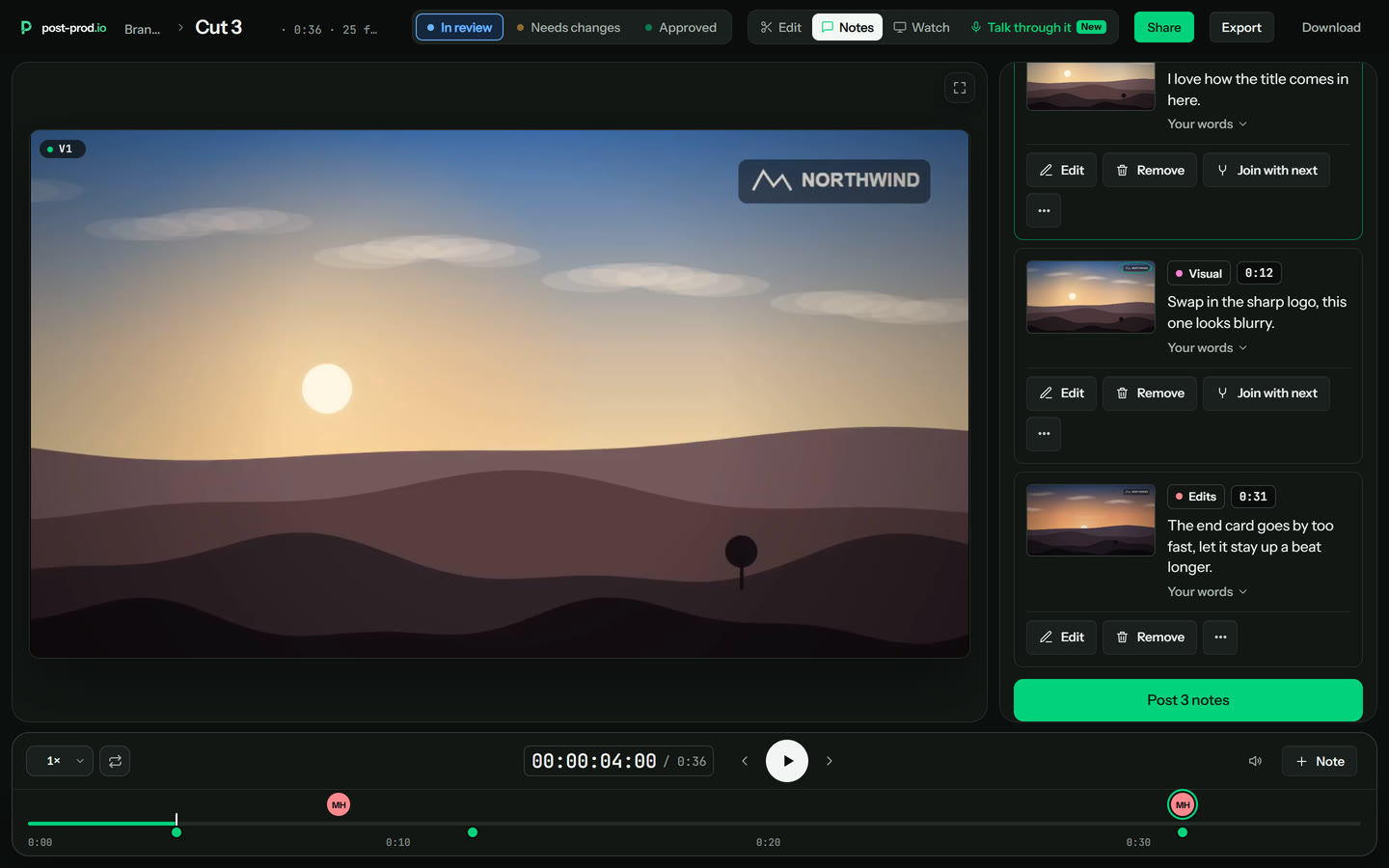
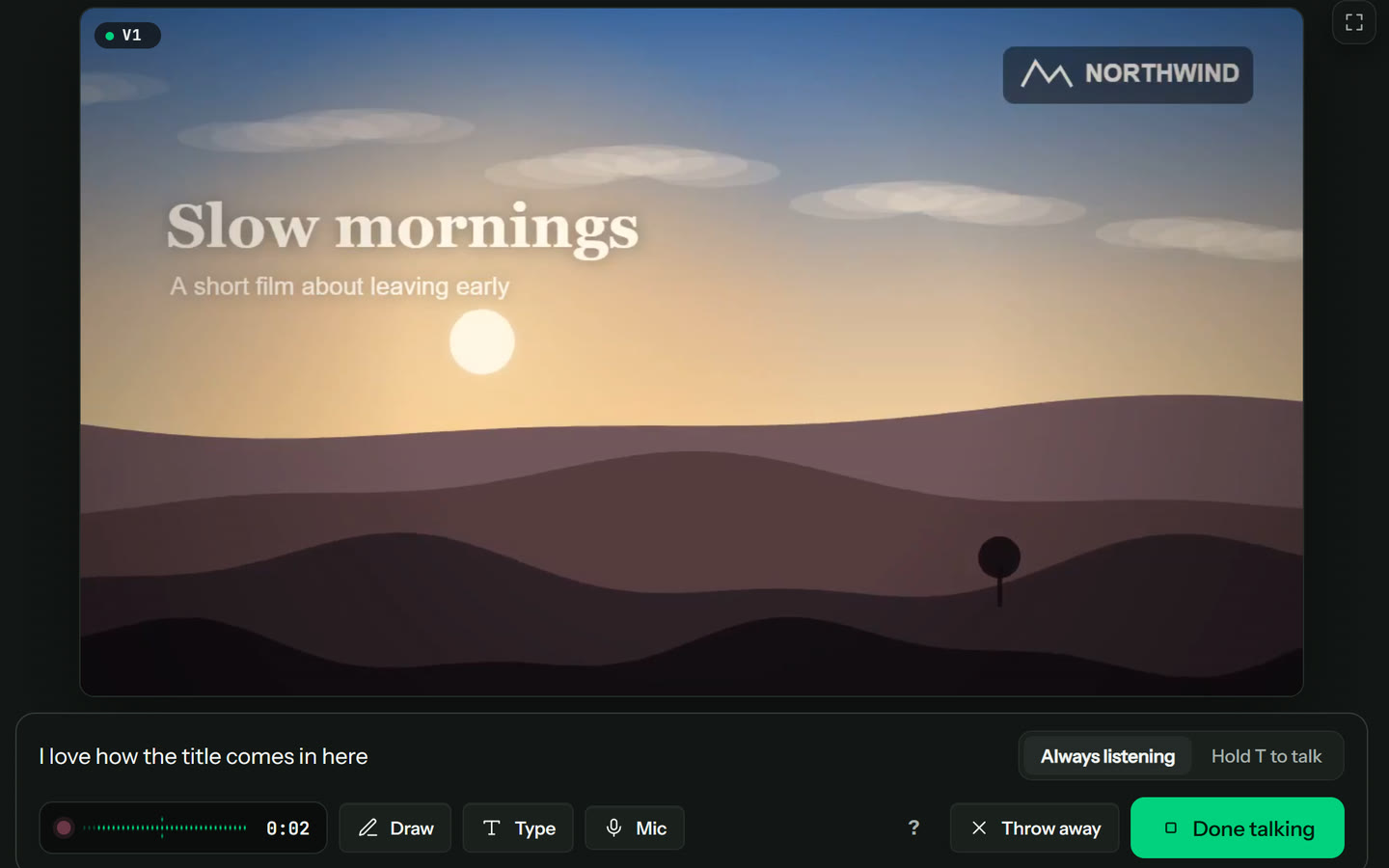
A reviewer presses Talk through it, watches, and says what they think. Every point becomes its own short note on the exact frame, with their drawing, and they check the notes before posting. On a review link, with no account. Typing and voice notes work as before.

How talking it through works

Suggested edits

Show the change, then make it.

Reviewers can suggest the edit itself and everyone plays it on the cut. When posted notes ask for edits post-prod can make, your team can press Make these changes: the edits are made and the next cut is rendered and posted for everyone to check.

Suggested edits

Fix check

Check the fixes, not the whole cut.

When V2 goes up, every note from V1 is marked looks fixed, still there or can't tell, each with a reason. It points you at where to look; you still make the call.

Versions and compare

How it works

The review loop, step by step.

Decide who reviews what

Name the reviewers for each cut and the one person who approves. A rough cut needs the people who decide the story; the final needs the person who signs it off. Fewer reviewers per round means fewer notes that disagree.

Ask for notes in a shape the editor can use

Most rounds are caused by notes, not by the edit. Ask every reviewer for the same few things.

  • On the frame, or the start and end of a stretch.
  • One change per note.
  • A reason: what it felt like as a viewer.
  • Anything visual drawn on the picture, or shown as an edit.
  • Mistakes (typos, black frames) kept apart from matters of taste.
A video feedback template

Settle disagreements before the editor starts

When two reviewers ask for opposite things, the editor shouldn't have to choose. Reply under the notes, agree, and resolve the one you're dropping before the next cut starts.

Check each version against the last notes

Before anyone rewatches the new cut from the start, go through the last round's notes against it: fixed, still there or not sure. Only the ones still open need another look.

Make approval a status, on one version

Approved, needs changes or in review, set on a version by the person who decides, so there's no doubt which file is final. On post-prod.io, clients can approve from the review link itself.

Video approval software

In post-prod.io

What helps at each step.

Links with no account

Clients and reviewers open a link and review: notes, drawing, voice notes, Talk through it, suggested edits and approval. Password, expiry and download control if you want them.

Guest review links

Five pens

Marker, Studio pen, Technical pen, Fine liner and Highlighter, so a visual note is drawn on the frame, not described.

Labels and views

Label notes as Colour, Legal or Music and share a view of only those, so each person sees the notes that are theirs.

Markers in your editing app

Our Premiere Pro panel puts the notes on your sequence as markers; Resolve, Final Cut Pro and Avid get marker files.

The Premiere panel

Fix check

Every note from the last version, checked in the new one: looks fixed, still there or can't tell.

Versions and compare

Claude

Claude can read the notes, look at the frames and make the edits, on your own Claude account.

Video editing with Claude

Questions

What is review and approval in post-production?

The part of post-production where each cut goes to the people who sign off, their notes come back to the editor, and the next version goes out, until one person approves a final version.

How do I reduce the number of revision rounds?

Name one approver, ask for notes on the frame with one change each and a reason, let reviewers show visual changes instead of describing them, settle disagreements before the editor starts, and check each new version against the last notes rather than rewatching from the start.

Who should approve a video?

One named person per project, agreed before the first cut goes out. Others can give notes; one person sets the status to approved.

Do clients need an account to review?

Not on post-prod.io. They open the review link, add their name and email, and leave notes on the frame, draw, talk it through, suggest edits and approve.

Can reviewers give feedback by voice?

Yes, two ways. Record a voice note on the frame and it comes out as clean text. Or press Talk through it, say what you think while it plays, and every point becomes its own note on the exact frame.

Can I try post-prod.io before paying?

There's a sample video you can open and review the way a guest would, and you can test it with one upload of your own (a video up to 500 MB). Plans are paid per admin, and guests never need a seat.

post-prod.io

Less time reviewing. More time uploading.

Clear notes, edits reviewers can show, and a check on every fix.

From $10 per admin a month, or $8 billed yearly. Unlimited guests. Cancel any time.