
What's new
IncludedNew notes, replies, approvals, uploads and versions ready, newest first. Ask again later for only what's new since.
What came in on my post-prod reviews since this morning?
MCP
Your reviews, inside Claude. Ask about a cut and get the video playing in the chat, every note on its exact frame, and V2 checked against V1's notes.
https://mcp.post-prod.io/mcpPart of every paid plan: Creator, Creator+ and Agency. An owner or admin of the workspace connects it. Claude signs in with your post-prod.io login, so there's no key to copy. The server is remote, so there's nothing to install.
In Claude, add it from Connectors. Steps for each app are under Set it up.
Sign in to post-prod.io, pick the workspace and press Allow.
"What came in on my reviews today?" Or pick a job below.
8 jobs it helps with. Pick one to see what you can ask, what comes back and what it uses. Every ask can be pasted straight into Claude.
Everything that changed, without opening ten tabs.
New notes, replies, approvals, uploads and versions ready, newest first. Ask again later for only what's new since.
What came in on my post-prod reviews since this morning?
Every project with its files, versions, approval and open notes. Tap a version in the card to open its review.
Show me my post-prod projects and what's still open.
What comes back in Claude: post-prod.io cards you can tap, not walls of text.
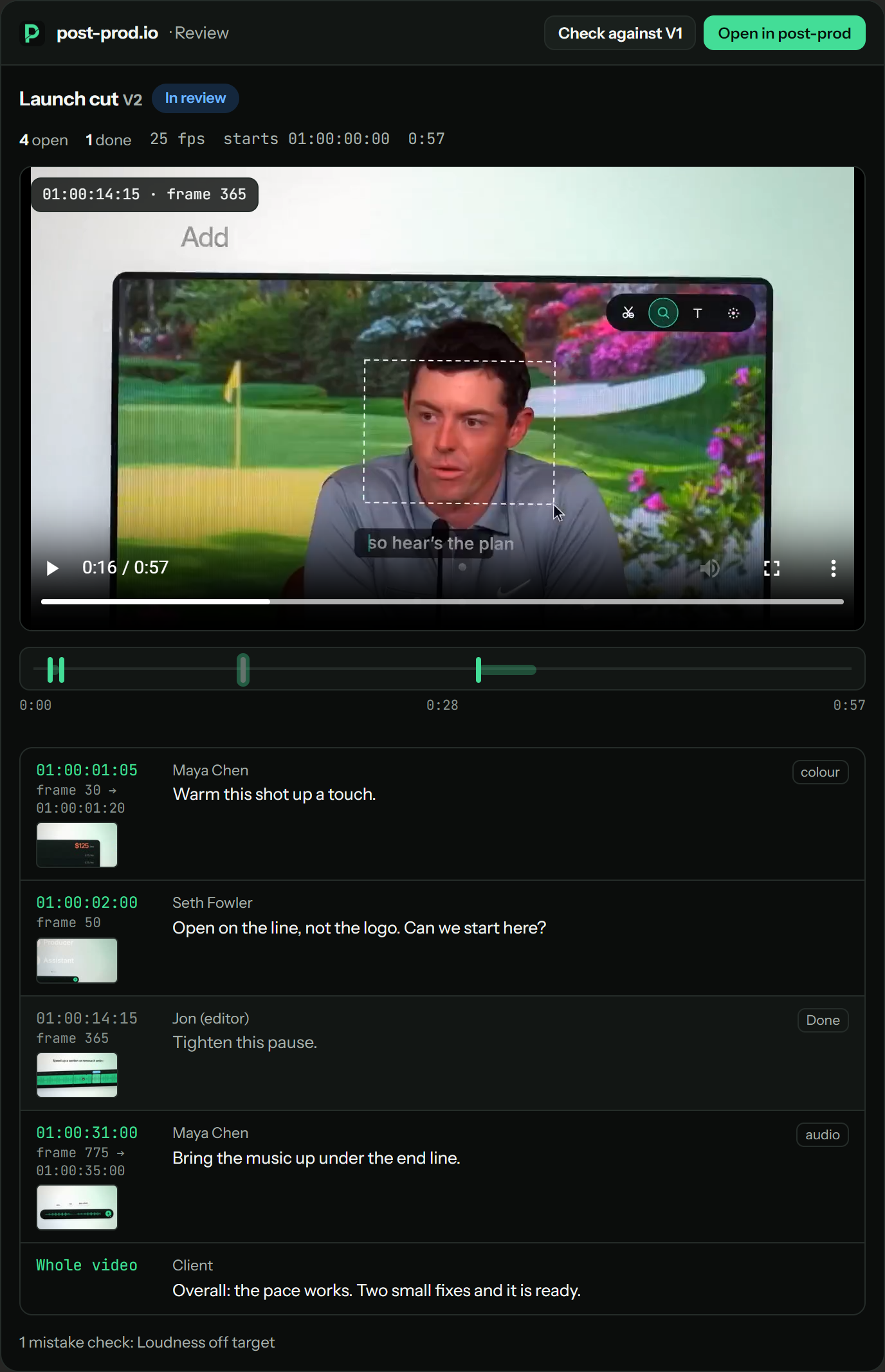
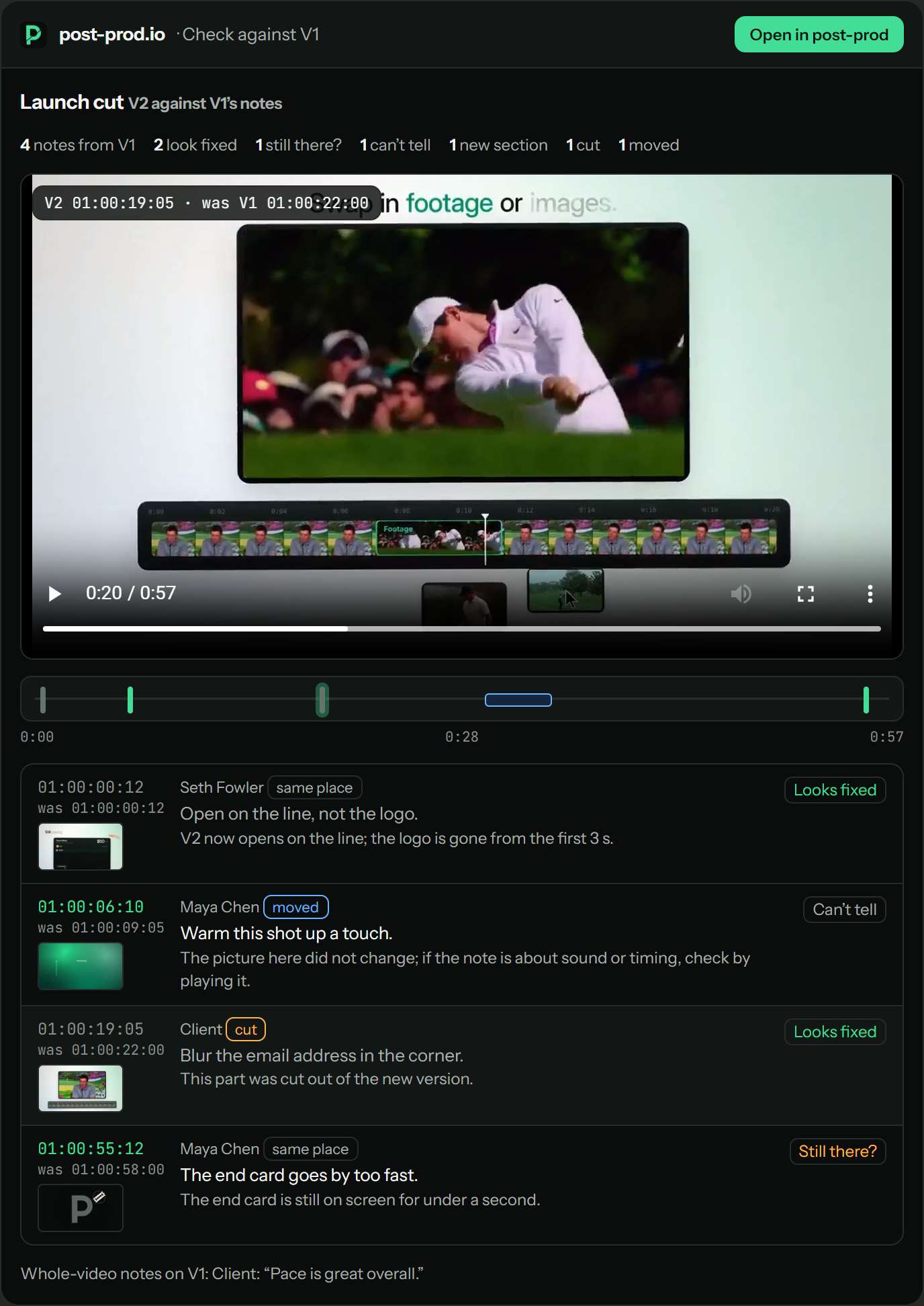
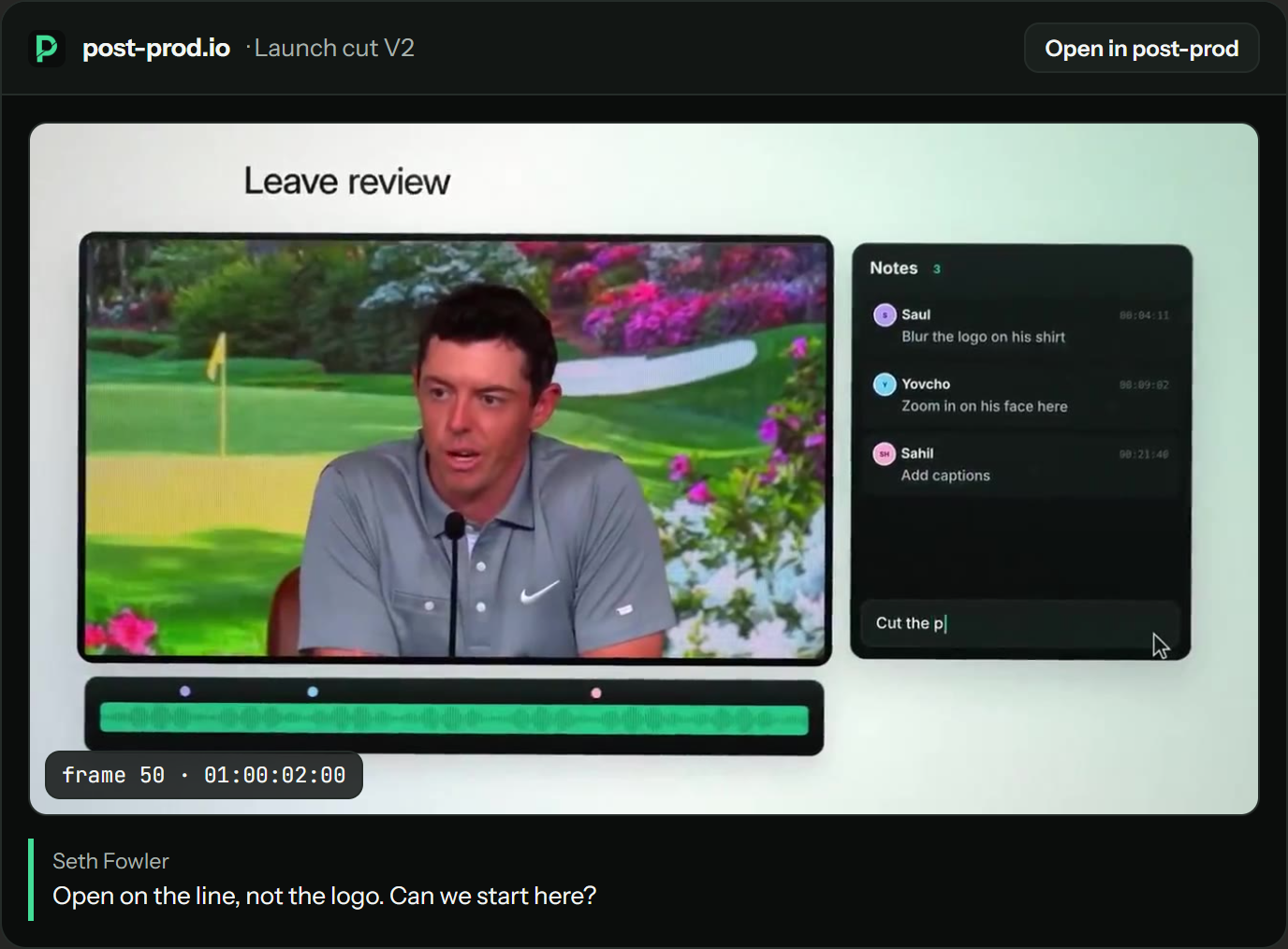
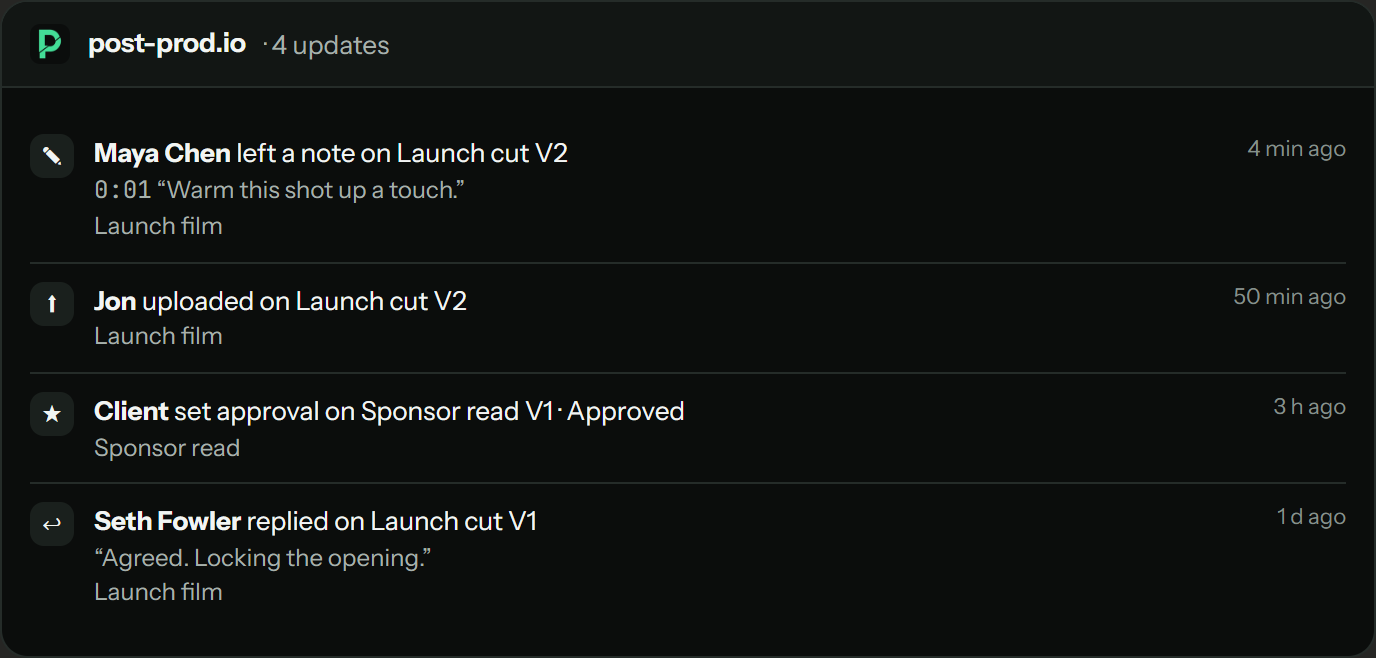
Pick your app. Each takes a minute.
Step 1 · Open connectors
In Claude (claude.ai, the desktop app or mobile), open Settings → Connectors. Find post-prod.io in Browse connectors, or press Add custom connector and enter these details:
post-prod.io
https://mcp.post-prod.io/mcp
Step 2 · Sign in
Press Connect. A post-prod.io page opens: sign in, pick the workspace and press Allow.
Step 3 · Ask
That's it: no API key. It works in Claude on the web, desktop and mobile. On Claude Team and Enterprise, an owner adds the connector for the organisation first.
Approving, resolving and removing a webhook are marked as changes, so Claude asks before it does them.
What came in on my post-prod reviews since yesterday, and what needs me first?
If post-prod.io is connected you'll get your real reviews back as cards. More under Prompts to start with.
You never need to say "use post-prod.io", but this line in Claude → Settings → Profile → personal preferences makes every review question go through it:
For anything about my video reviews, notes, versions or client approvals, use post-prod.io first.
Claude edits in your team's own Claude (Claude Code, or Claude Desktop), never inside post-prod.io. At every step both sides say what happened and where it went.
In a review, post your notes and press Send these to Claude. It says “Sent 3 notes to your team's Claude”. No Claude connected yet? It says so and offers Connect Claude, so nothing waits for nobody.
If Claude is already waiting, the job arrives within seconds. If not, it waits in the queue.
The job above the notes reads “Seth's Claude is working on it: editing the title (2 of 5)”, with when it started and when Claude was last heard from.
Say “check post-prod”. Claude takes the job and tells you the person who asked can see it working.
“Done: Seth's Claude posted V3”, with Open V3, and the person who asked gets a notification. Could not finish? You see Claude's note and Send again.
Claude posts the new version and says where it landed, with the post-prod.io link to open it.
If Claude goes quiet for 30 minutes, the job goes back in the queue and the review says so; the next Claude that checks picks it up.
Say what you want, not which tool to call. Claude reads post-prod.io's tool list and works out the calls, so a plain question gets you further than naming a tool.
What came in on my post-prod reviews since yesterday, and what needs me first?
Check the newest version of [file] against the notes on the one before. Play me the ones still there.
Read the client's notes on [file] and group them into what's quick, what needs a re-edit and what to push back on.
Show me the frame each open note on [file] is on, and tell me which ones you'd agree with.
Turn the open notes on [file] into a checklist for my editor, with timecodes, then give me Premiere markers.
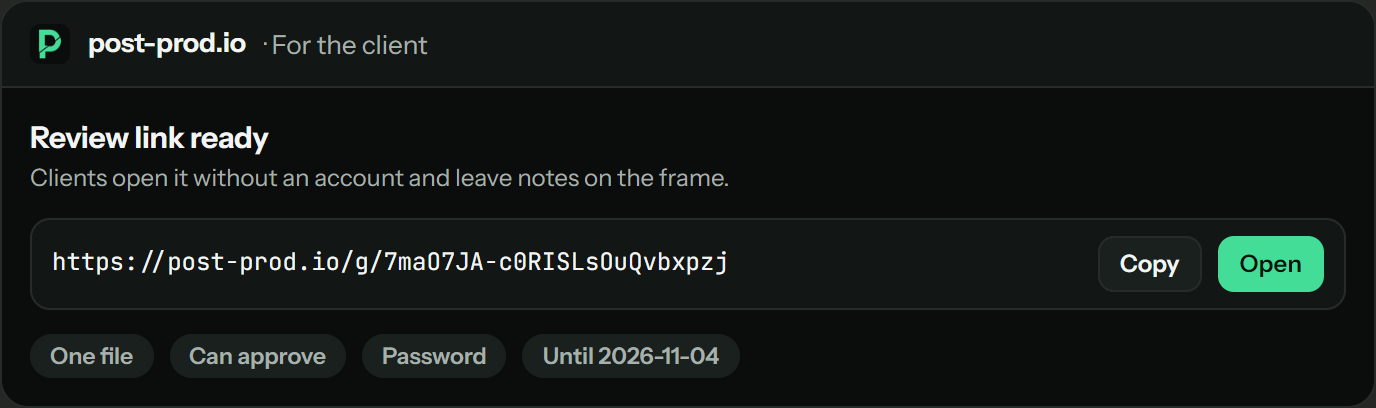
Make a client link for [file] that expires in 7 days and can approve, and write me a two-line message to send with it.
Post to the team's Slack channel that [file] V3 is up and the colour notes are done.
Bring this Dropbox link into the [project] project: [link]
Upload ~/Exports/[file] v3.mp4 as the next version, then tell me when it's ready.
Which of my files are approved this week, and which are still waiting on the client?
42 tools Claude can call, shown here in groups. You don't need to name them: ask in plain words.
| Tool | What it does | Uses |
|---|---|---|
| list_projects | Your projects, files and versions, with approval and open notes. | Included |
| get_activity | What changed: new notes, replies, approvals, uploads and versions ready, with a cursor for "since last time". | Included |
| get_review | Every note on a version with its frame number and timecode, suggested edits, mistake checks and approval. The card plays the video. | Included |
| get_frame | The picture itself: the frame a note is on, or any frame, timecode or second. | Included |
| compare_versions | A new version against the notes on the one before: where each moment sits now, the verdict, and the video to play from each note. | Included |
| check_fixes · did_it_get_fixed | Run the fix check, and read its verdicts with a reason for each note. | AI allowance |
| get_transcript · make_transcript | What is said, as timed lines; make_transcript starts one. | AI allowance |
| add_note | A note on an exact frame: frame number, your file's timecode or seconds, with an optional range. | Included |
| reply_to_note · resolve_note | Answer in a thread, mark a note done or reopen it. | Included |
| set_approval | Approved, needs changes or in review. | Included |
| create_review_link | A client link: no account needed, password and expiry if you want them. | Included |
| list_channels · post_to_channel | The Slack and Discord channels connected to the workspace, and a message posted to one, signed with your name. | Included |
| export_markers | Markers for Resolve, Premiere, Final Cut, Avid or CSV. | Included |
| upload_file | Upload from the computer Claude Code or Cowork runs on: a one-time link that takes the whole file. | Uses storage |
| import_from_link | Bring a file in from Google Drive, Dropbox, OneDrive or a direct link. | Uses storage |
| watch_events · list_watches · stop_watching | Webhooks the moment something happens, to Zapier, Make, n8n or your own server. | Included |
| wait_for_feedback | Waits up to 50 seconds for a reviewer's new note or reply (or a job from the team) and answers the moment one comes; call it again to keep waiting. | Included |
| open_link | Any post-prod.io link you paste: that version with its review notes, what changed and the files used to make it, as far as you can see them. | Included |
| get_version_context · set_version_notes | A version's notes on what changed and how to carry on, the reviewer notes it answers and the command that made it. | Included |
| attach_working_files · read_version_file | The files used to make a version as one zip (up to 500 MB), listed as folders; one text file read back out. | Uses storage |
| list_tasks · claim_task · task_progress · complete_task | The jobs your team handed to Claude: take one (the review shows who has it), say how it is going ("editing the title, 2 of 5", shown live; an untouched job goes back to the queue after 30 minutes), and say when it's done, with the new version. | Included |
| get_edits · suggest_edits · apply_edits | The review's edits, and new ones in the same shapes: suggestions wait for your team; applying needs the workspace's switch. | Included |
| preview_edit | A frame with the edits drawn on it, from the original. | Included |
| render_version · render_status | The cut rendered from the original with the accepted edits, as the next version. | Uses storage |
| get_download | Download links for a version: the video, recent renders, the working files, the notes as a PDF or spreadsheet, and markers for Premiere Pro, DaVinci Resolve, Final Cut Pro and Avid. Anything that can't be downloaded says why. | Included |
| attach_file | Attach a song, sound, image, font, colour look (LUT), skill file or any file up to 2 GB to a version or the whole project, with a note on how to use it. From your computer, or a Drive, Dropbox or OneDrive link. Only your team sees attachments. | Uses storage |
| list_attachments · read_attachment | The files attached to a version and its project, with their notes; a text or skill file read back as text, anything else as a download link. | Included |
https://mcp.post-prod.io/mcp/read instead and Claude can read your reviews but change nothing (21 tools). In Claude Code: npx github:brollmedia/post-prod-mcp --read-only.The REST API and webhooks are on Developers.
Add it from Connectors and ask about your first review.