Skip to content

Post-production guide

Post-production, from the edit to delivery.

Everything that happens to a video after it's shot: the edit, the notes, the colour, the sound and the final file. Each stage, who does it, and where the time usually goes.

In short

  • Post-production (post, or post prod) is everything between the last shot and the finished file: editing, review and feedback, colour, sound, graphics, captions and delivery.
  • The stages overlap. The edit goes round several times, and each round of notes can send work back through colour, sound and graphics.
  • The stage that runs over most often is review: vague notes, reviewers who disagree, and fixes nobody checked.
  • post-prod.io is built for that stage: notes on the frame, edits reviewers can show, and the next version rendered from your original.

Updated

Where post-prod fits

The review stage, in fewer rounds.

Feedback

Notes an editor can act on.

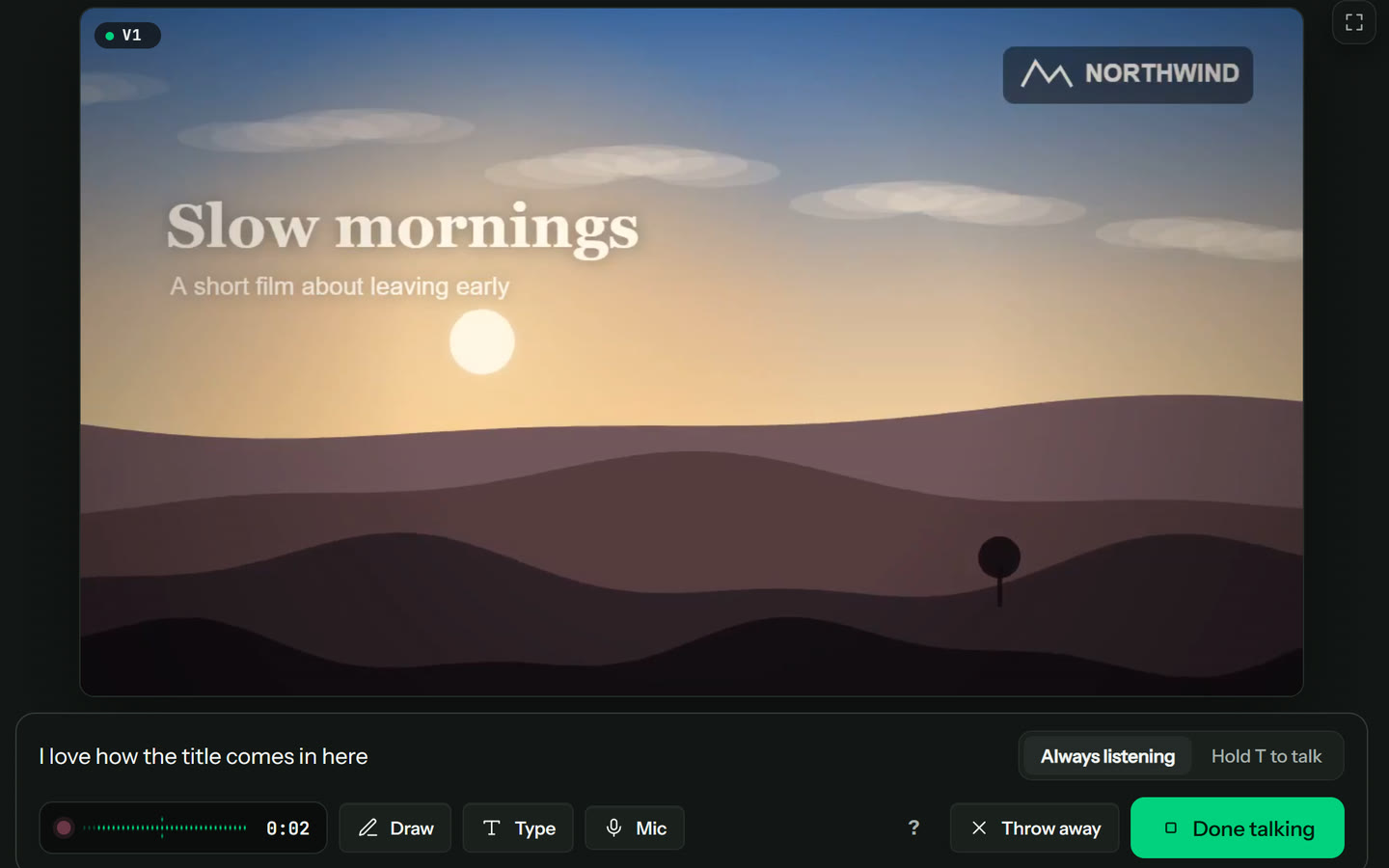
Reviewers pin notes to the frame, draw on the picture, or press Talk through it and say what they think while it plays. Every point becomes its own note on the exact frame. Clients do it from a link, with no account.

Talk through it

Fixes

The fix, played before anyone re-renders.

A note like “tighten this shot” can become a suggested edit: a cut, a zoom, a blur that follows a moving object, speed, audio, colour, a shot swap, a text fix or captions. Everyone plays it on the cut, and the next version renders from the original.

Suggested edits

Next version

V2 checked against V1's notes.

When the next version goes up, every note from the last is marked looks fixed, still there or can't tell, each with a reason, so nobody has to rewatch the whole cut to find out.

Versions and the fix check

The basics

What is post-production?

Post-production, in one line

Post-production is the third phase of making a video, after pre-production (planning and scripting) and production (shooting). It takes the raw footage and turns it into the file that gets published, broadcast or delivered to a client.

People shorten it to post, post prod or postprod. A post-production team can be one editor on a YouTube channel, or an editor, an assistant, a colourist, a sound mixer, a motion designer and a post supervisor on an advert or a film.

Who's involved

The same few jobs come up on almost every project, even when one person does several of them.

  • Editor: builds the story from the footage and makes the changes from each round of notes.
  • Producer, director, creator or client: watches each cut and gives the notes that shape the next one.
  • Colourist: matches the shots and sets the look once the picture is locked.
  • Sound: dialogue clean-up, music, effects and the final mix.
  • Motion designer: titles, lower thirds, graphics and animation.
  • Post supervisor or producer: the schedule, the rounds and the files to deliver.

How long it takes

It depends on the length, the footage and how many rounds of notes it goes through. A short social video can be cut, reviewed and delivered in a day or two; a long documentary can take months.

The rounds of review are the part that's hardest to plan, because nobody knows how many there will be until the notes come in.

The stages

The stages of post-production.

Not every project goes through every stage, and most of them overlap. This is the usual order.

1. Ingest and organise

Copy and back up the footage, sync sound to picture, make lighter copies to edit with if the camera files are heavy, and name everything so it can be found.

2. Assembly and rough cut

Every usable take laid out in story order, then cut down to a first version that's long but complete.

3. Review and feedback

The cut goes to the people who sign off. Their notes come back to the editor, and the cut goes round again.

Review and approval

4. Fine cut and picture lock

The timing is tightened shot by shot until nobody wants to move a frame. After picture lock the edit stops changing, so colour and sound can finish.

5. Colour

Correction makes the shots match each other; grading gives the video its look.

6. Sound

Dialogue cleaned up, music and effects added, and the levels mixed for where it will be played.

7. Graphics and effects

Titles, lower thirds, motion graphics, screen replacements and clean-up.

8. Captions and subtitles

Timed text for accessibility, for people who watch with the sound off, and for other languages.

9. Quality check and delivery

A last watch for black frames, offline media, clipped audio and typos, then the files are exported in every format the platform or client needs.

Automatic checks

Where the time goes

Why review rounds run over.

The edit itself is fairly predictable. The rounds of notes around it usually aren't, and they fail in the same few ways.

Notes without a place

“The middle drags” sends the editor looking. A note pinned to the frame, or to the start and end of the stretch it's about, doesn't.

Several changes in one note

A paragraph with three changes in it gets two of them done. One change per note, each ticked off on its own, means nothing hides.

Describing a change instead of showing it

“Make it punchier” is a guess for the editor. A zoom or a trim the reviewer sets up and plays on the cut is not.

Reviewers who disagree

When the producer and the client ask for opposite things, the editor does both and waits. Agree who has the final say before the first cut goes out.

Fixes nobody checked

Each new version gets watched from the start to see whether the last notes were done. Checking the new version against the old notes, note by note, saves that watch.

The wrong file at the end

A fix exported from a compressed review copy, or a final that missed the last round, means one more round. Render the final from the original.

How to give video feedback

Fewer rounds

Six habits that shorten post.

  1. 1Agree who reviews which cut, and who has the final say, before the first cut goes out.
  2. 2Send one link for each cut, not files over email, so every reviewer's notes land in one place.
  3. 3Ask for notes on the frame, one change per note, with a reason.
  4. 4Let reviewers draw on the picture, or suggest the edit itself, for anything visual.
  5. 5Check each new version against the last round's notes before anyone rewatches it.
  6. 6Render the final from the original, not from the review copy.

The full workflow, step by step

Go deeper

Post-production guides.

The post-production workflow

Every step from the footage to delivery, in order, with who does it and who signs it off.

Read the workflow

Review and approval

How to run the review rounds so the cut is signed off in as few versions as possible.

Read the guide

Giving video feedback

Notes an editor can act on the first time: where, what, why, and shown on the picture.

Read the guide

A video review checklist

What to look at on each pass, from story to typos, before a cut is approved.

Read the checklist

Client approval

Getting a client to sign off without endless rounds or a thread of emails.

Read the guide

Agentic video editing

An AI agent that reads the notes, makes the edits and posts the next version for people to check.

How it works

Questions

What does post-production mean?

Everything that happens to a video after it's shot: editing, review and feedback, colour, sound, graphics, captions and delivery. It's often shortened to post, post prod or postprod.

What are the main stages of post-production?

Ingest and organisation, the assembly and rough cut, review and feedback rounds, the fine cut and picture lock, colour, sound, graphics and effects, captions, and a final quality check and delivery. Most projects overlap some of them.

What's the difference between editing and post-production?

Editing is one part of post-production: putting the shots in order and timing them. Post-production also covers the review rounds, colour, sound, graphics, captions and delivering the files.

Which part of post-production takes the longest?

It varies by project, but review is the hardest part to plan: every round of notes sends the cut back through the edit, and sometimes through colour, sound and graphics too. Clear notes on the frame and a check of each new version against the last round's notes are the usual ways to cut the rounds down.

Is post-prod.io post-production software?

It's software for one part of post-production: review and approval. You still edit in Premiere Pro, DaVinci Resolve or Final Cut Pro. post-prod.io is where the cut goes for notes, where reviewers can suggest the edit itself, and where the next version renders from your original. The notes go back to your editing app as markers. Video review software

Is postprod the same as post-prod.io?

If you're looking for the review tool, yes: post-prod.io is often written postprod or post prod. Post-production itself is the whole process on this page.

Can I try post-prod.io before paying?

There's a sample video you can open and review the way a guest would, and you can test it with one upload of your own (a video up to 500 MB). Plans are paid per admin, and guests never need a seat.

post-prod.io

Less time reviewing. More time uploading.

The review stage of post-production, in fewer rounds: clear notes, edits reviewers can show, and the final from your original.

From $10 per admin a month, or $8 billed yearly. Unlimited guests. Cancel any time.