
Say what to fix. Your own Claude makes the change, so V2 needs fewer rounds.
A review round is mostly the time between saying what is wrong and seeing it fixed. Here the notes you post are picked up by your own Claude Code within seconds and come back as the next version, V2, which your Claude uploads itself. You review it in the room like any version.
How it works
- 1
Say what to fix
Talk through the cut and press Done talking, type a note and press Send to Claude, or ask in the Edit with Claude tab.
- 2
Your Claude picks it up
Your own Claude Code, running in the background on your computer, takes the notes within seconds and works out the edits.
- 3
Your Claude makes the change
It makes the real change itself, in the project your video was made from or on the footage, so cuts, zooms, blur, captions, music and more are in the file.
- 4
Review V2
Your Claude uploads the result as V2. Open it in the room and review it like any version.
Your Claude, on your own plan
The work is done by your own Claude Code, using Opus, on your own Claude plan. Nothing runs on post-prod.io's AI.
Picked up within seconds
Press Done talking, Send to Claude, or ask in the tab, and your Claude takes the notes at once. In one test on 31 Oct 2026, a note was picked up in 9 seconds and two edits were ready in 36.
A new version, not an overwrite
Your Claude uploads the result as the next version, V2. The version you reviewed stays as it is.
Review V2 like any version
Open V2 in the room and review it as you would any version: notes on the frame, drawing, Review with voice.
You can see it is listening
In the tab, a green dot and Connected show that your Claude is watching. If it is not, the tab shows you the setup.
For your team
Edit with Claude is for members of the team. Guests keep reviewing from their link as before. A Claude started in team mode can take your teammates' notes too.
Set it up once
Needs a paid post-prod.io plan, and Claude Code open on a computer. Three steps, then leave Claude Code open while you review.
1Add the plugin
In a terminal on the computer you edit on.
claude update && claude plugin marketplace add brollmedia/post-prod-claude-plugin && claude plugin install post-prod@post-prod2Sign in to post-prod
Start Claude Code with claude, type /mcp, choose post-prod and sign in. Once.
/mcp3Start your Claude and leave it open
Run it from your project's folder, or link the folder in the room's Edit with Claude tab. It opens on Opus and watches for your notes.
claude --model opus "/post-prod:watch"
See it in the room
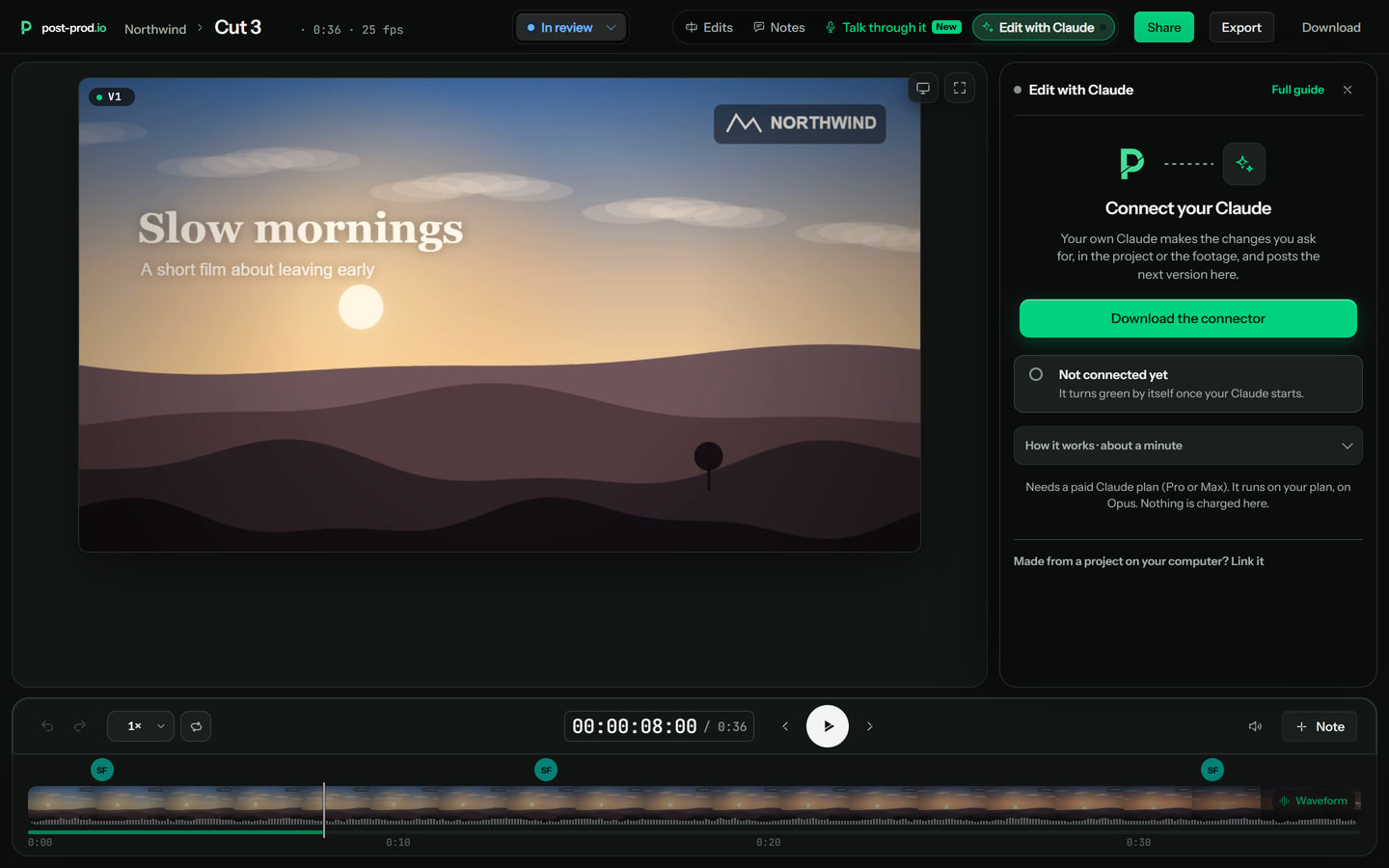
1.Add the plugin to Claude Code 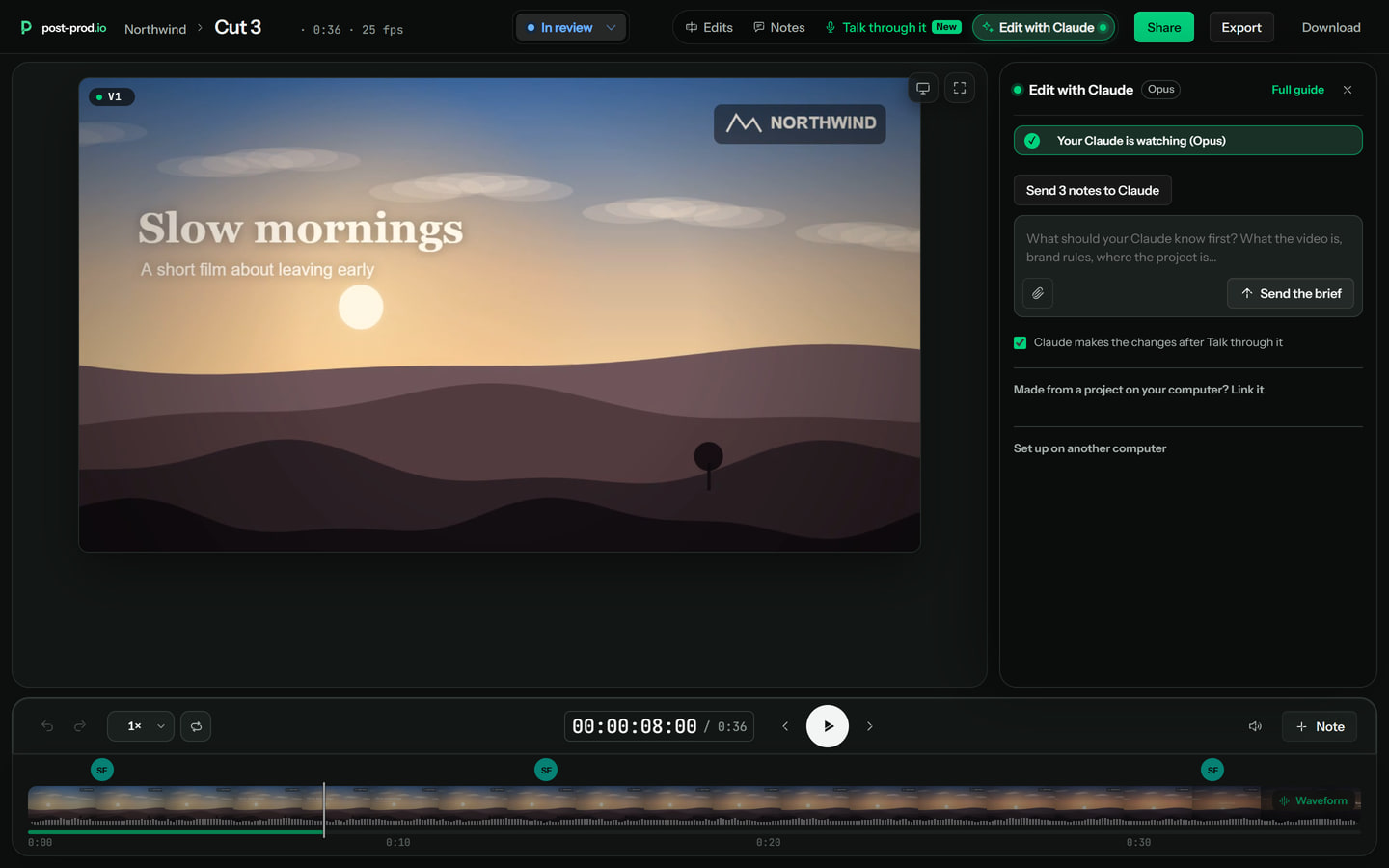
2.Start your Claude and leave it open 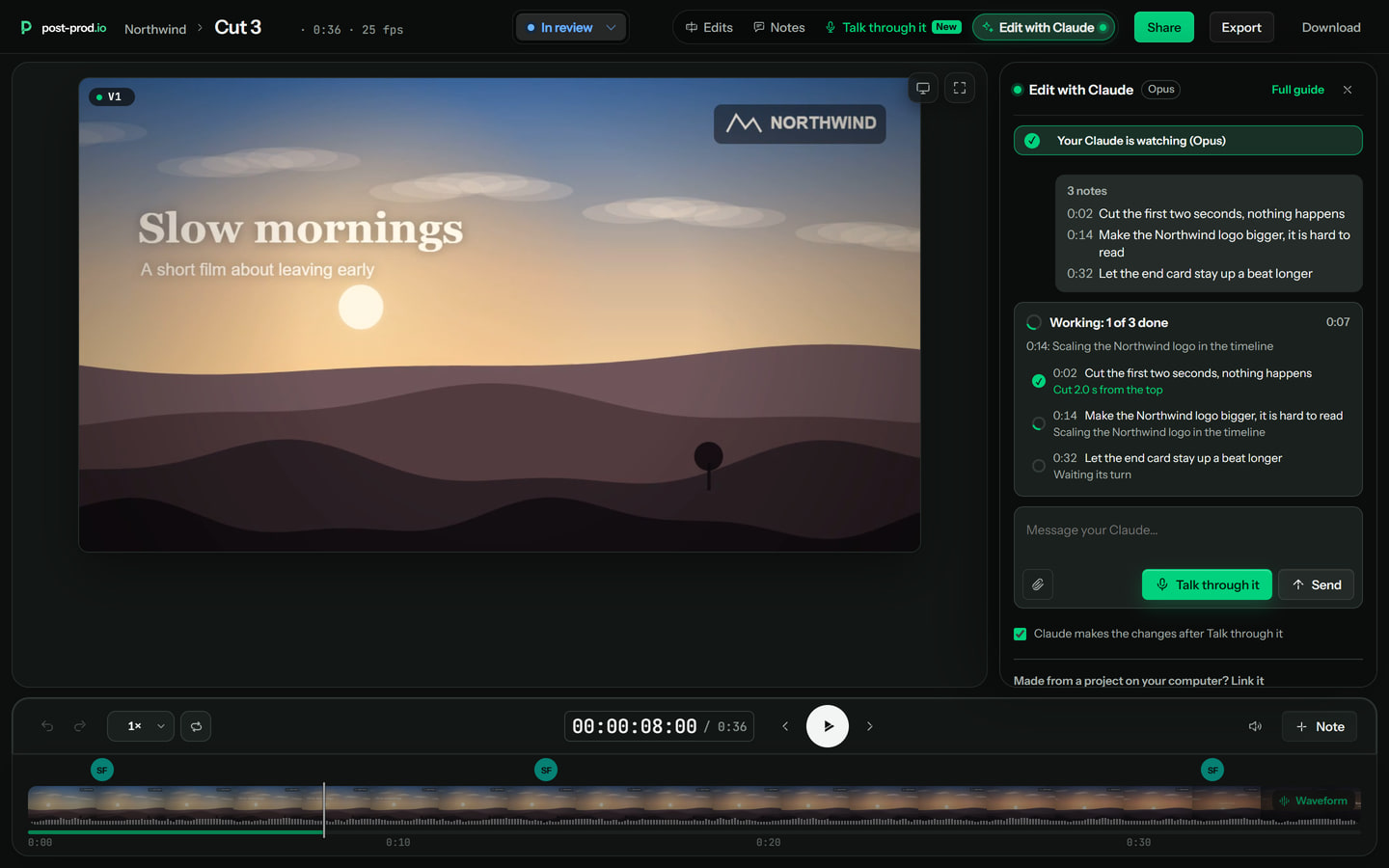
3.Post your notes and watch it work 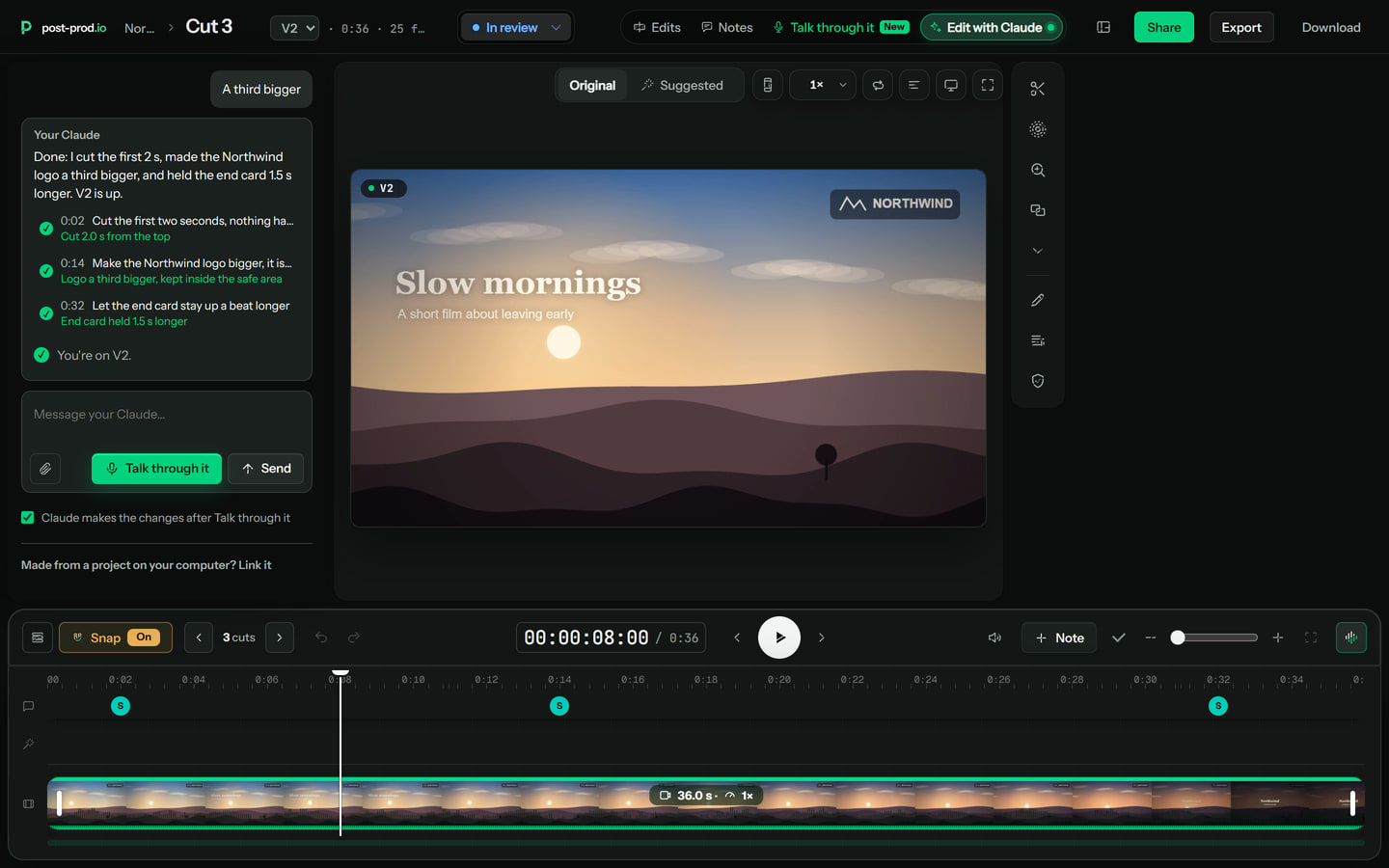
4.Review V2


Questions
What does it cost?
The Claude work runs on your own Claude plan, in your own Claude Code, not on post-prod.io's AI. To use Edit with Claude you need a paid post-prod.io plan.
Which model does it use?
Opus. The command in the setup, claude --model opus "/post-prod:watch", starts your Claude on Opus, and the tab and Apps & integrations show which model is watching.
Does it change my video without me?
No. You post the notes, and your Claude makes the change and uploads it as the next version, V2. The version you reviewed stays as it is, and you review V2 in the room like any version. Notes you talk through in the Edit with Claude tab go to your Claude straight away. Turn off Claude makes the changes after Review with voice and they stay notes until you press Send.
Does it work on Mac and Windows?
Yes, on both. The commands are the same except for how they are joined: the Mac and Linux version uses && and the Windows PowerShell version uses a semicolon. The setup shows the right one for your computer.
Can I use it from my phone?
Not to run it. The Claude that does the work is Claude Code, which has to be open on a computer and stay open. The review room on your phone shows whether your Claude is connected, and Send to Claude is there too.
Is this Claude.ai in the browser, or Claude Code?
Claude Code. Claude.ai in the browser cannot watch in the background, so it cannot pick notes up on its own. The Claude connector at post-prod.io/mcp still works for working inside Claude: ask it about your reviews, then it can make edits there.
Can guests use it?
No, it is for members of the team. Guests on a review link review as they always have: notes, drawing and Review with voice.
How do I know my Claude is connected?
The Edit with Claude tab in the review room shows Connected with a green dot, and Apps & integrations shows Your Claude is watching, with the model. If you close Claude Code, it shows Not connected within about a minute and a half.
Get started
Every review tool. $10 per admin a month ($8 billed yearly). Unlimited guests. Cancel any time.