
Edit with Claude · 5 steps
Edit with Claude: set it up once, then your notes become edits
Connect your own Claude Code to the review room once. After that, press Done talking and your Claude turns the notes into the next version, V2, for you to review.
Needs a paid post-prod.io plan, and Claude Code open on a computer. It runs on your own Claude plan, with Opus. Nothing runs on post-prod.io's AI. What Edit with Claude does.
1Add the plugin to Claude Code
Open a terminal on the computer you edit on (Terminal on a Mac, PowerShell on Windows) and paste this. It updates Claude Code, adds the post-prod plugin and installs it. Pick the tab for your computer: the two only differ in how the commands are joined.
claude update && claude plugin marketplace add brollmedia/post-prod-claude-plugin && claude plugin install post-prod@post-prod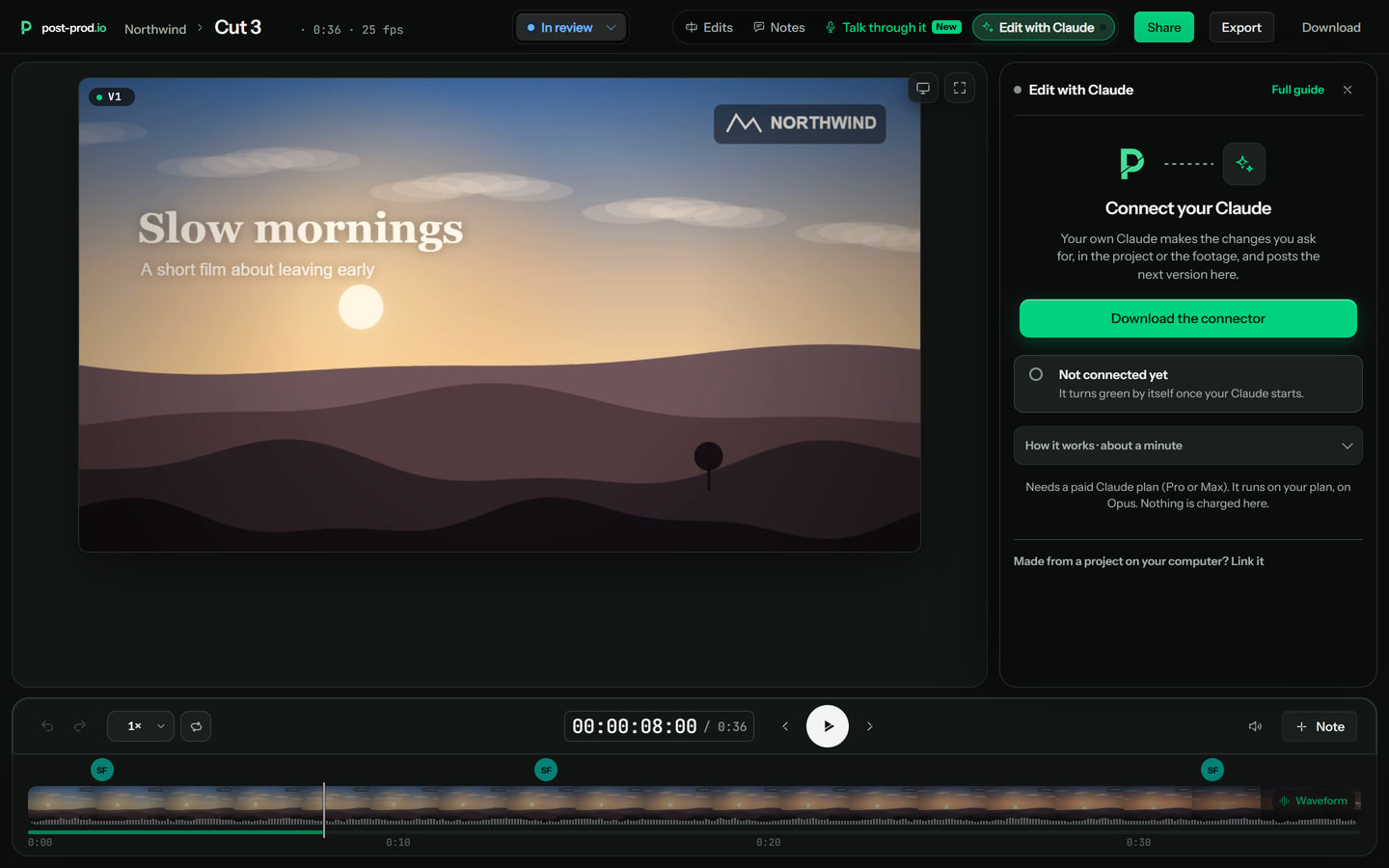
2Sign in to post-prod
Start Claude Code by typing claude, then type /mcp, choose post-prod and sign in with your post-prod.io account. A browser tab opens for it. You only do this once.
/mcp3Start your Claude and leave it open
Run this in a terminal, in your project's folder (the folder your video is made from), or link that folder in the room's Edit with Claude tab. It opens Claude Code on Opus and starts watching your workspace. Leave that window open. In the review room the Edit with Claude tab shows Connected with a green dot. To also take your teammates' notes, use the team version.
claude --model opus "/post-prod:watch"To also take your teammates' notes:
claude --model opus "/post-prod:watch team"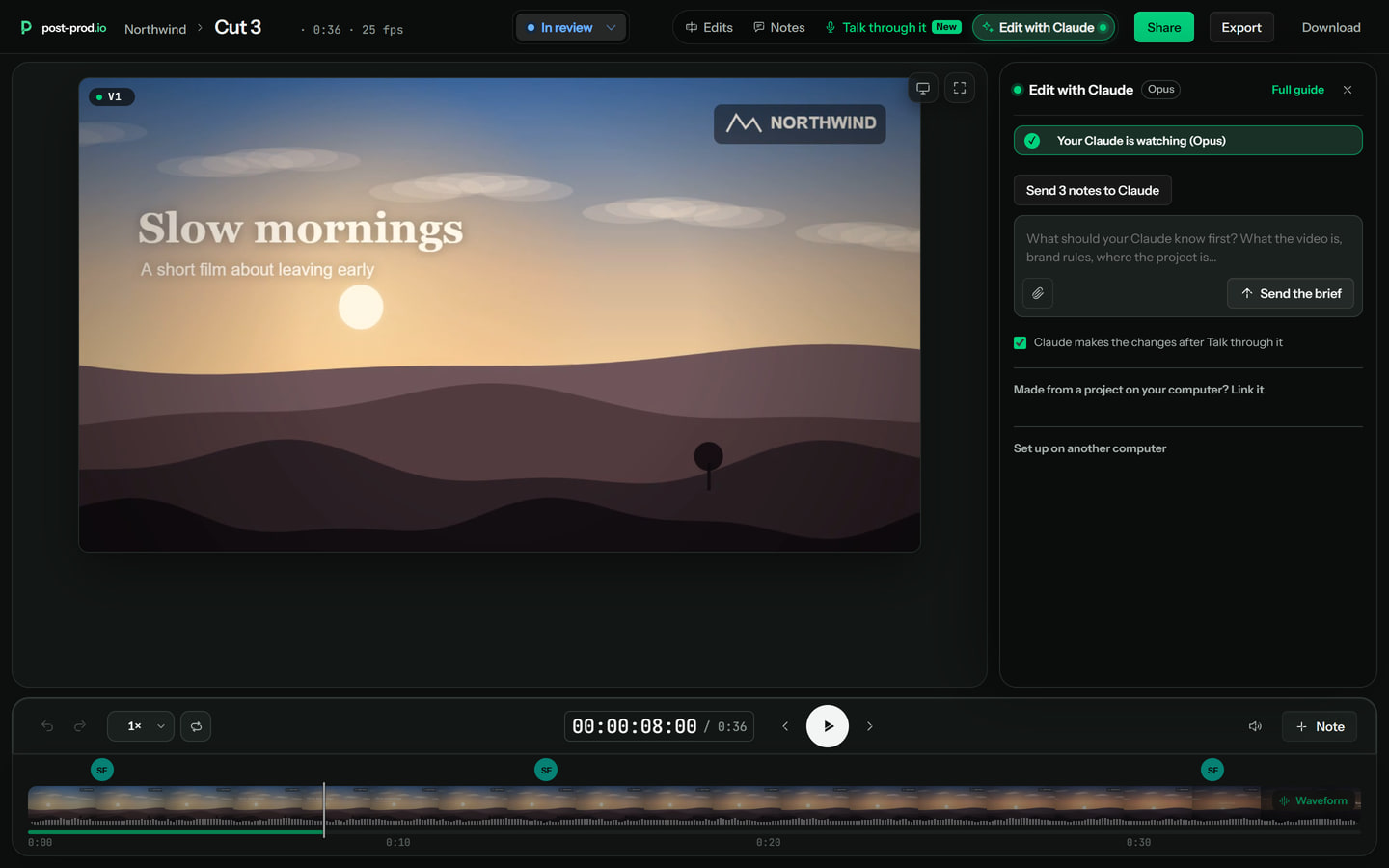
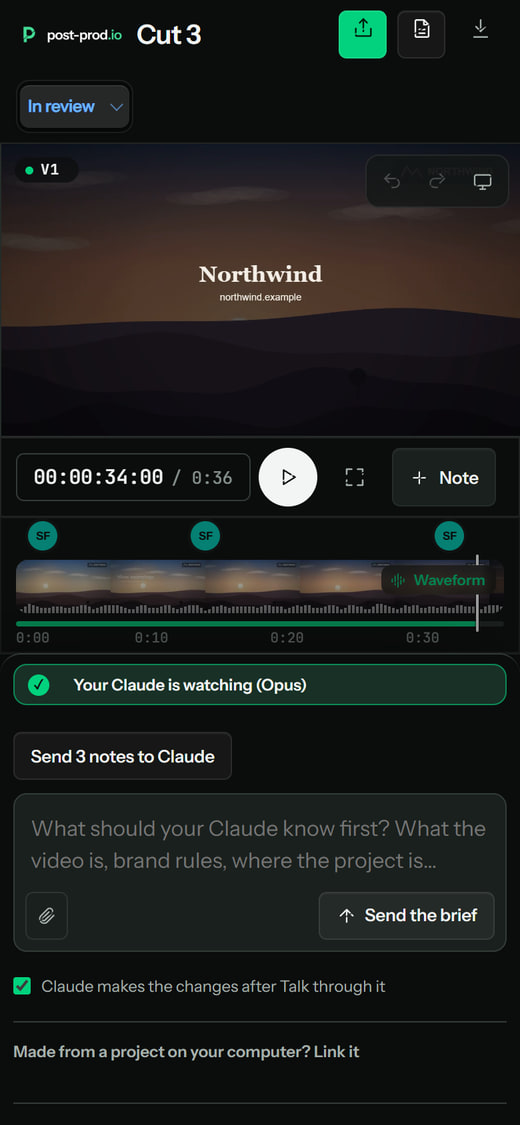
On a phone the same tab shows whether your Claude is watching. Claude Code itself stays open on your computer. 4Post your notes and watch it work
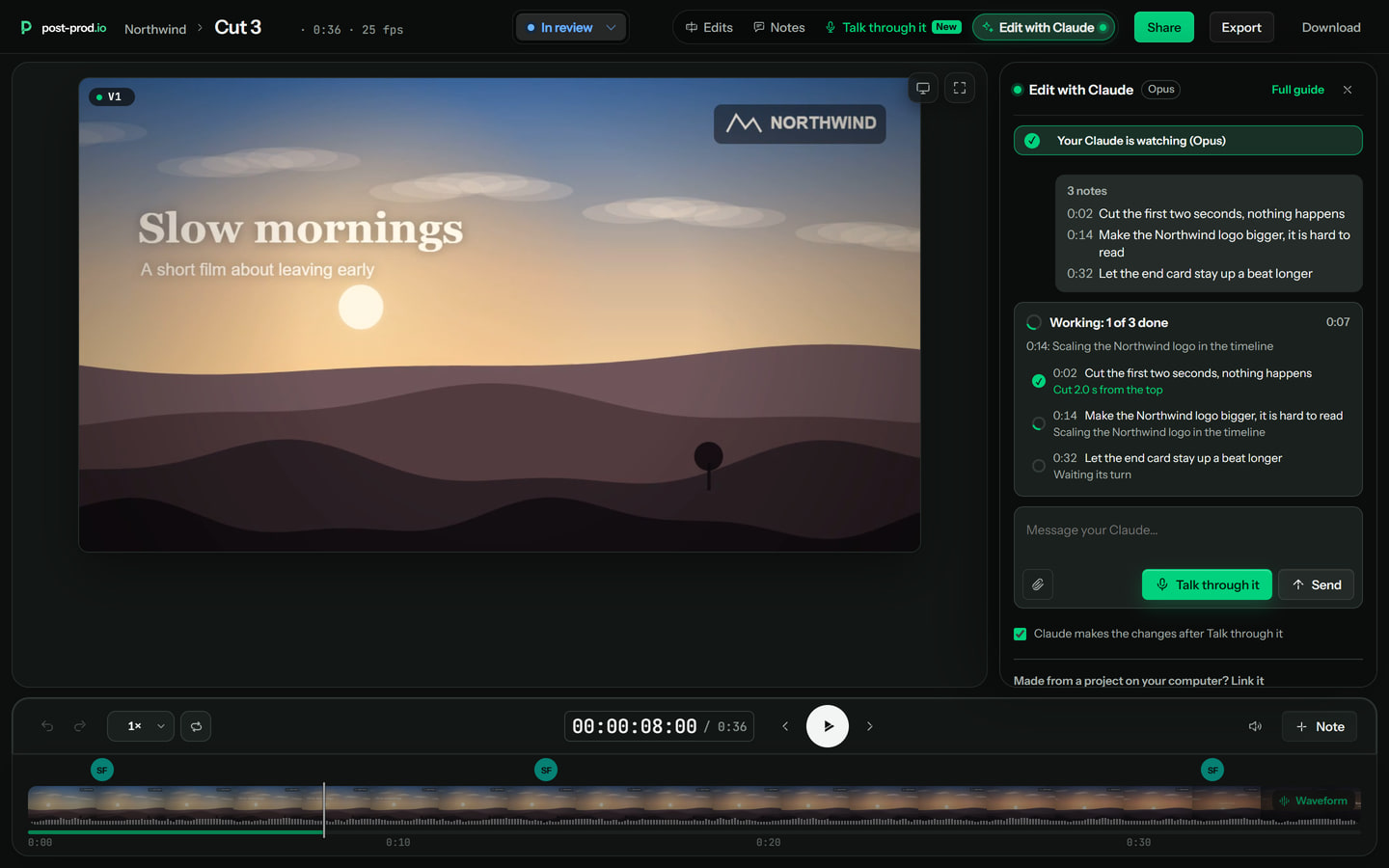
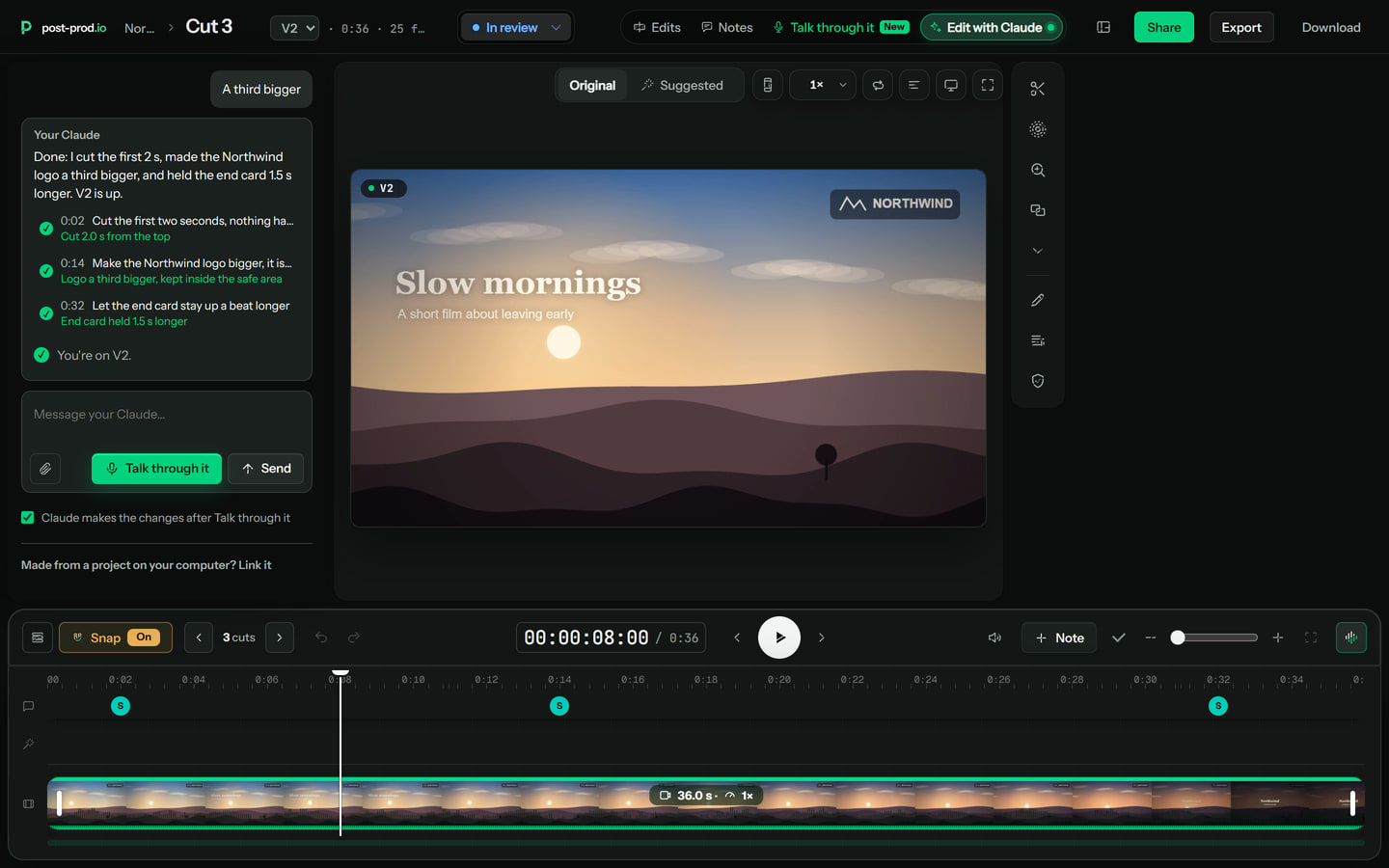
Talk through the cut and press Done talking, or write notes and press Send to Claude, or ask in the tab. Within seconds your Claude picks them up and the tab shows what it is doing.
5Review V2
Your Claude makes the change itself, in your project or on your footage, and uploads the next version, V2. Open V2 in the room and review it like any version.


Already signed in once, and want it all in one go? Paste the whole thing:
claude update && claude plugin marketplace add brollmedia/post-prod-claude-plugin && claude plugin install post-prod@post-prod && claude --model opus "/post-prod:watch"If it does not connect
- The tab says Not connected
- Check Claude Code is open on your computer and that /post-prod:watch is running in it. Run the watch command again if you closed the window. The tab turns to Connected shortly after.
- Claude is not signed in to post-prod
- Sign in again with your post-prod.io account: in Claude Code type /mcp, choose post-prod and sign in.
- Nothing happens when I send notes
- Edit with Claude needs a paid post-prod.io plan, and it is only for members of the team, not guests on a review link.
- The plugin or /post-prod:watch is not found
- Your Claude Code is old. Run claude update, then add and install the plugin again from step 1.
- PowerShell says: The token '&&' is not a valid statement separator
- You pasted the Mac and Linux version. Switch to the Windows PowerShell tab above and paste that one, which joins the commands with a semicolon. Or run the commands one at a time.
- It worked, then stopped
- Your Claude stops watching when Claude Code is closed or the computer sleeps. Wake the computer and run the watch command again.
In one test on 31 Oct 2026, a note was picked up in 9 seconds and two edits were ready in 36.
More: what Edit with Claude does, and post-prod.io in Claude for working inside Claude itself.
Try it on your own cut
Every review tool. $10 per admin a month ($8 billed yearly). Unlimited guests. Cancel any time.